Audit Trail
Under Administration > Diagnostics, tab Audit-Log, the audit trail of the system can be viewed. The former path /v2/admin/audit redirects there.
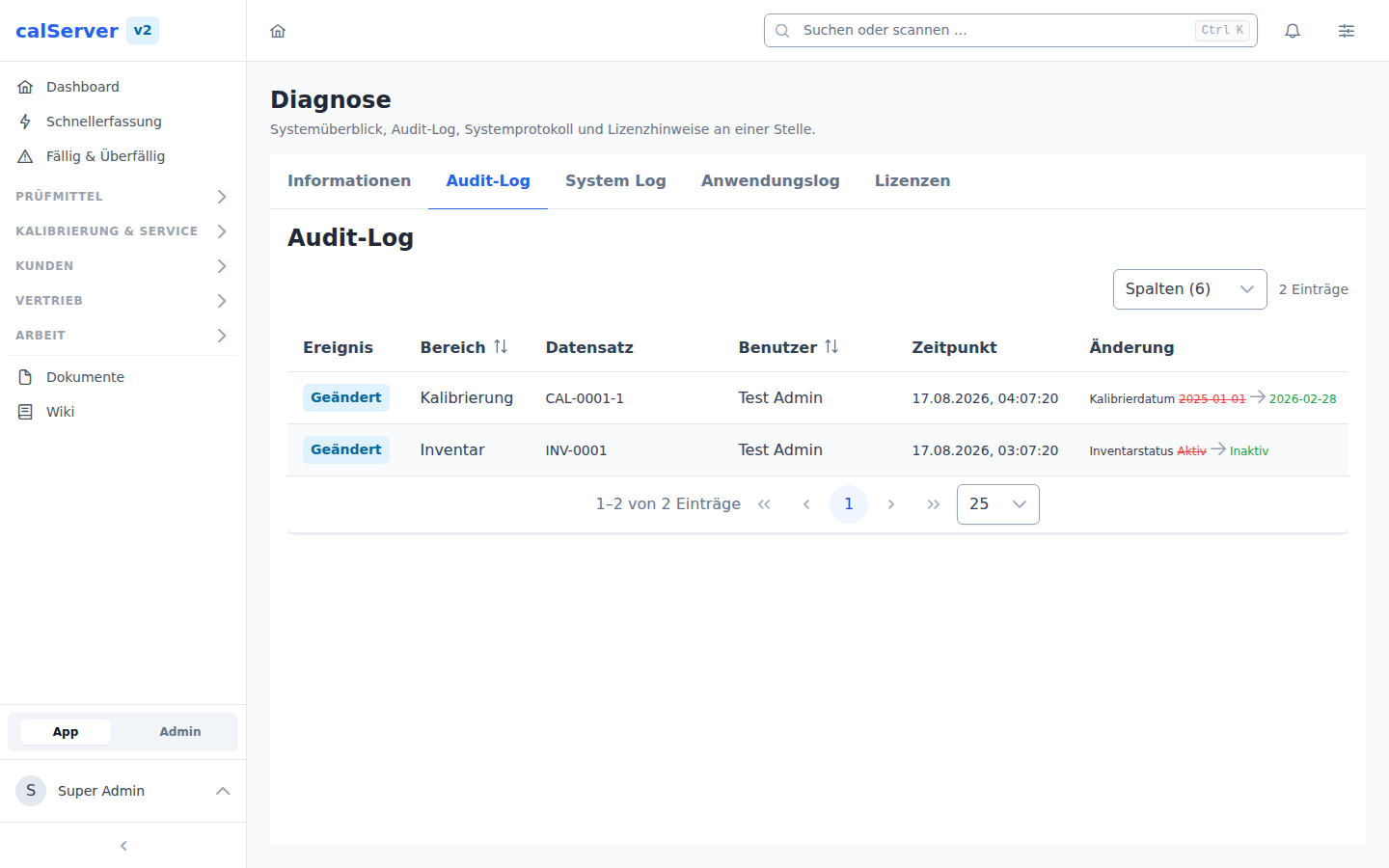
Overview
Each row describes one event on a record:
| Column | Description |
|---|---|
| Event | Type of change (create, edit, delete) |
| Area | Affected table (inventory, calibration, etc.) |
| Record | Identifier of the affected record |
| User | Who made the change |
| Time | Date and time of the change |
| Change | Field with old and new value; for creation and deletion a snapshot of the whole record |
A double click opens the row in full.
What Is Logged
Changes are logged field by field for:
- Equipment (inventory) and calibrations
- Customers
- Orders and repairs
- Locations and loans
- Documents in the DMS
- Notes and tasks
- Prices, price categories, scales, surcharges and service prices
Writing statements in the database console appear as an event of their own.
Not logged at present:
- Measured values and test steps of a calibration
- The assignment of reference standards to a calibration
- Users, roles and permissions, as well as contacts
- Changes without a logged-in user, for example by scheduled tasks such as automatic status changes
Filtering
The list can be narrowed down by exact values, for example by area or user. There is no search by time period or free text. The newest entries are shown first.
Per-Record Audit
In the detail view of each record (inventory, calibration, etc.), the AuditHistory component is displayed:
- Complete change history of the individual record
- Chronological display
- Comparison of old/new values
Protection Against Changes
Entries can neither be edited nor deleted in the application, not even by administrators; the API only offers read access.
The audit trail is not cryptographically protected. Anyone with direct database access, for example through the database manager reserved for the hidden super admin, can change rows. The chained log of the calibration certificate release is protected against unnoticed changes.
ISO/IEC 17025
The standard requires that amendments to technical records can be traced back to the original version (clause 7.5.2). For the areas listed above, the audit trail provides this. It does not currently cover measured values.
Retention
The scheduled task Archive audit trail (audit:prune, daily at 04:00) moves entries older than 24 months (default) to the audit_archive table. Only what has passed the retention period is deleted. The period is set under Administration > Basic Settings, tab Retention (Aufbewahrung; default 10 years, allowed 10 to 30 years).
Archive without a view
The interface does not show archived entries. They stay in the database and can be evaluated there.