Maintenance Overview
The maintenance and repair management in calServer v2 enables the recording, tracking, and documentation of all maintenance and repair operations.
Repair List
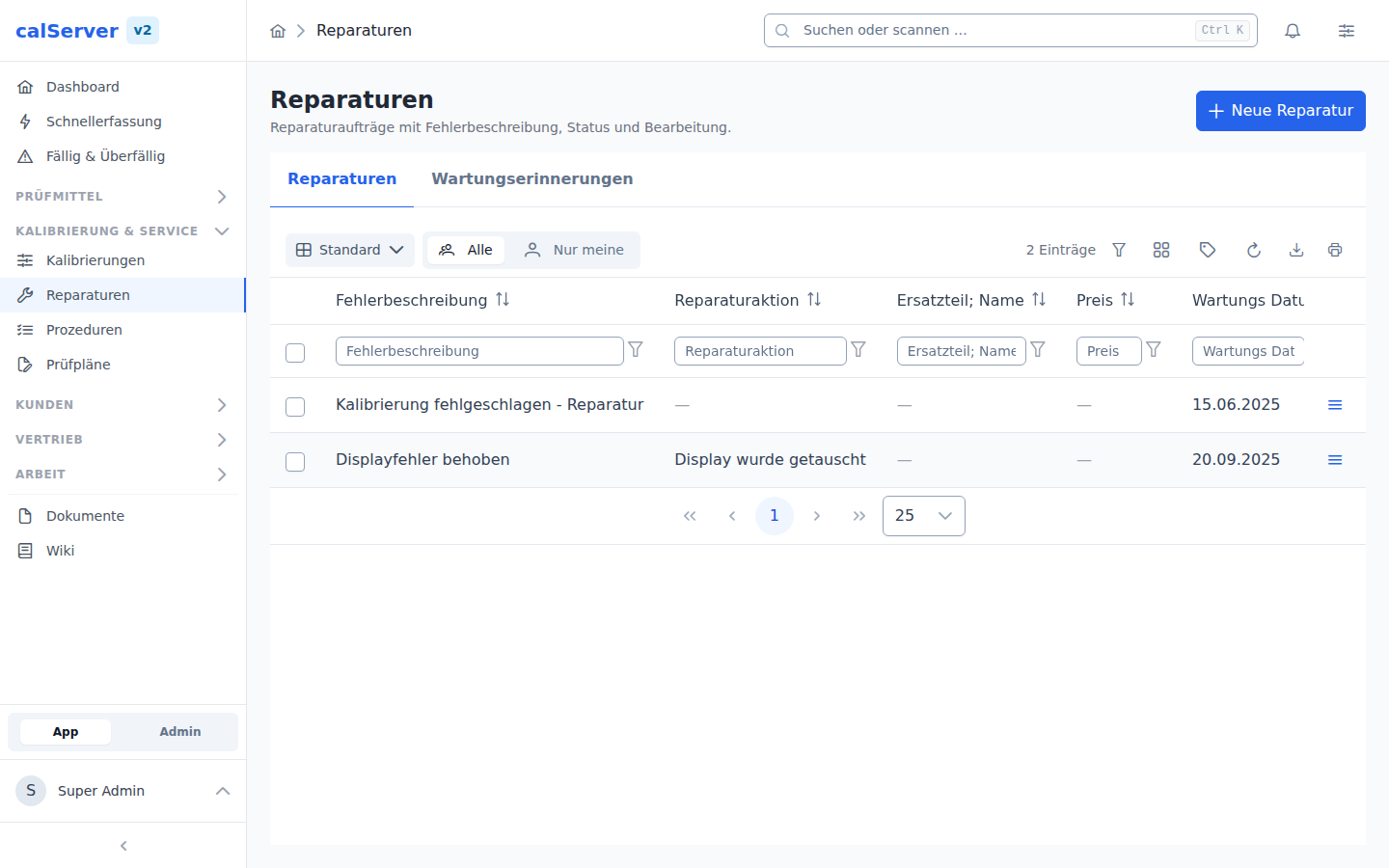
The repair list at /v2/repair shows all maintenance and repair orders in a TableMaster grid:
| Column | Description |
|---|---|
| Repair Number | Unique identifier of the order |
| Inventory | Assigned test equipment (linked) |
| Customer | Assigned customer |
| Status | Current processing status |
| Created Date | Date the order was created |
| Description | Brief description of the operation |
| Actions | View, Edit, Delete |
Features
- Filter — Column filters and advanced filters for targeted search
- Sort — Click column headers to sort
- Export — Export as Excel or CSV
- Column Selection — Configure individual column views
Typical Use Cases
- Repair Tracking: Filter and prioritize open repairs by status
- Customer Orders: View all repairs for a customer at a glance
- Deadline Control: Identify overdue maintenance orders
- Documentation: Complete repair history per test equipment
Maintenance Reminders
A note linked to a repair (field RTAG) is not an ordinary note but a
maintenance/repair reminder — the mechanism carried over from calServer V1
that lets you be reminded of planned maintenance:
- The due date (
date_time) defines when the maintenance should be flagged. - A scheduled task (
notepad:send-reminders, every five minutes by default) sends an e-mail to the assigned user once the due date is reached (templatereminder_repair) and records the trigger time inreminder_at. Each reminder therefore fires exactly once; ifdate_timemoves back into the future the reminder fires again. - In the note detail view such entries are marked as a maintenance reminder and link straight to the associated repair.
The API flags these entries via the entry_type (maintenance_reminder) and
is_maintenance_reminder attributes and returns the repair reference through
repair_id / repair_id_label. The type=maintenance_reminder filter (or
only_reminders / repair_id) lists maintenance reminders exclusively.
Prerequisite: mailer template & configuration
Sending uses the reminder_repair mailer template and the default mailer
configuration. On systems migrated from V1 both exist; on pure V2 installs
without a template/configuration the send is skipped (logged) without
aborting the task.
Permissions
| Permission | Description |
|---|---|
repair_edit |
Create and edit repairs |
repair_delete |
Delete repairs |
inventory_repair_edit |
Create repairs from the inventory detail view |
inventory_repair_delete |
Delete repairs from the inventory detail view |