Create Inventory Item
New inventory items are created on the page /v2/inventory/create. The form is rendered by the DynamicForm component, which derives its fields from the central field configuration (FieldConfiguration).
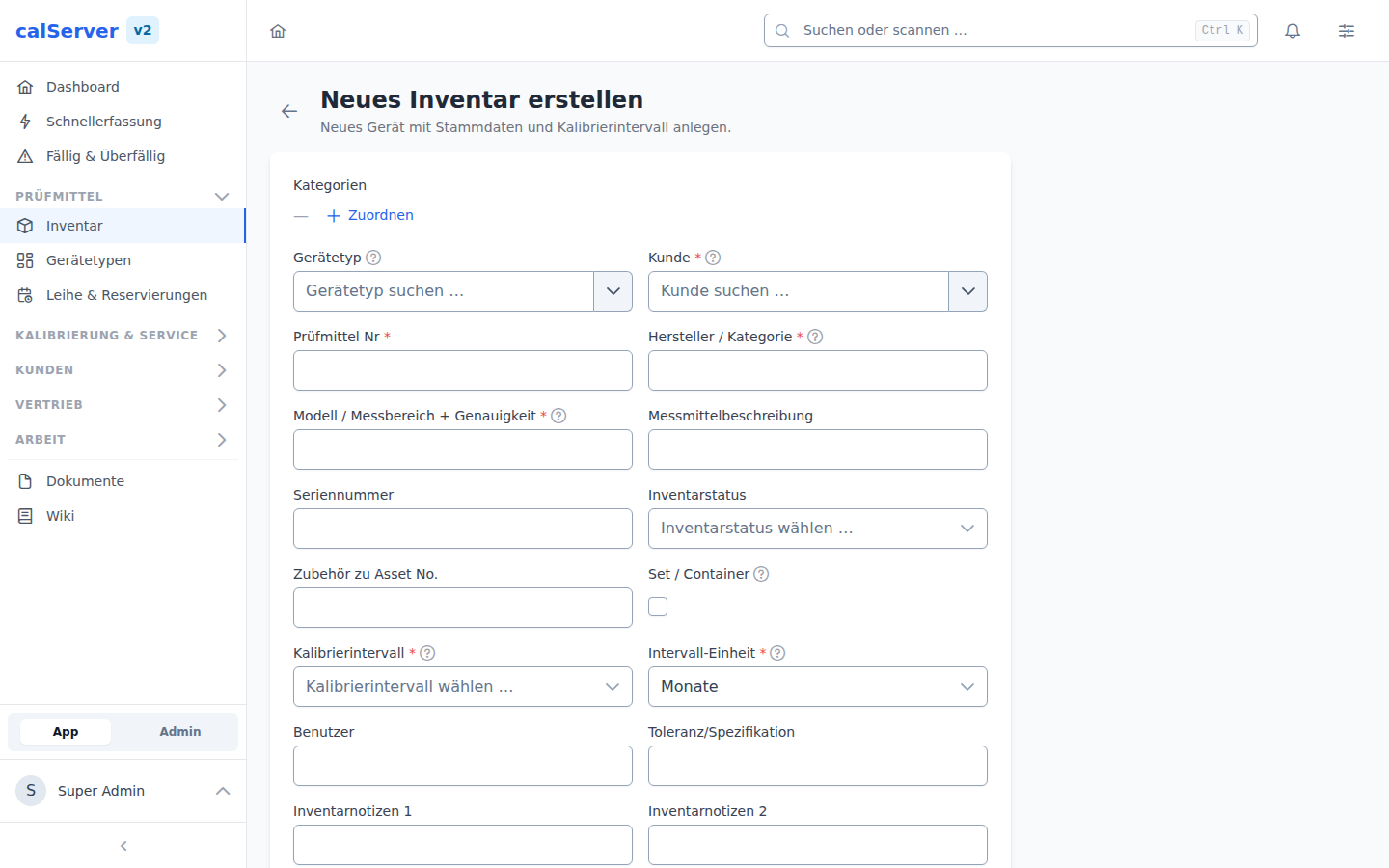
Required Fields
The following fields are defined as required in the default configuration:
| Field | Metrology Code | Description |
|---|---|---|
| Inventory Number | I4201 |
Unique identifier of the item |
| Manufacturer | I4202 |
Device manufacturer |
| Model | I4203 |
Model designation |
| Serial Number | I4206 |
Device serial number |
Configurable Required Fields
Which fields are required is determined by the field configuration in the administration area. The fields listed here correspond to the default configuration.
Optional Fields
Numerous optional fields are also available, including:
| Field | Metrology Code | Description |
|---|---|---|
| Status | I4211 |
Inventory status (e.g., Active, Blocked, Decommissioned) |
| Quantity | I4208 |
Item quantity |
| Price | I4219 |
Acquisition or replacement cost |
All fields with the prefix I42xx belong to the inventory data model. The complete list of available fields depends on your individual field configuration.
Customer Assignment
The assignment to a customer is done via the AutocompleteSelect field:
- Start typing the customer name or customer number
- Select the desired customer from the suggestion list
- The customer data (fields
K46xx) is automatically linked
Change Customer Assignment Later
The customer assignment can also be changed later via the detail view or the edit form.
Category and Type
Inventory items can be assigned to a Category and a Type:
- Category — Logical grouping (e.g., "Electrical Measurement", "Mechanical Test Equipment")
- Type — Device classification within the category
Both fields are available as dropdown selections. Categories and types are managed in the Administration area.
Submitting the Form
After filling in all required fields:
- Click Save to create the item
- Upon successful creation, you will be redirected to the detail view
- Validation errors are displayed directly at the respective field
Inventory Number Uniqueness
The inventory number (I4201) must be unique within the system. If a duplicate is entered, an error message will be displayed.
Dynamic Fields
The DynamicForm component renders fields based on their configured type:
- Text — Single-line text input
- Textarea — Multi-line text input
- Number — Numeric input with optional unit
- Date — Date picker with calendar widget
- Select — Dropdown with predefined options
- Boolean — Checkbox for yes/no values
The order and visibility of fields is determined by the field configuration.