Capture Status
Under Administration > Status (/v2/admin/statuses), the available statuses for various resources are defined.
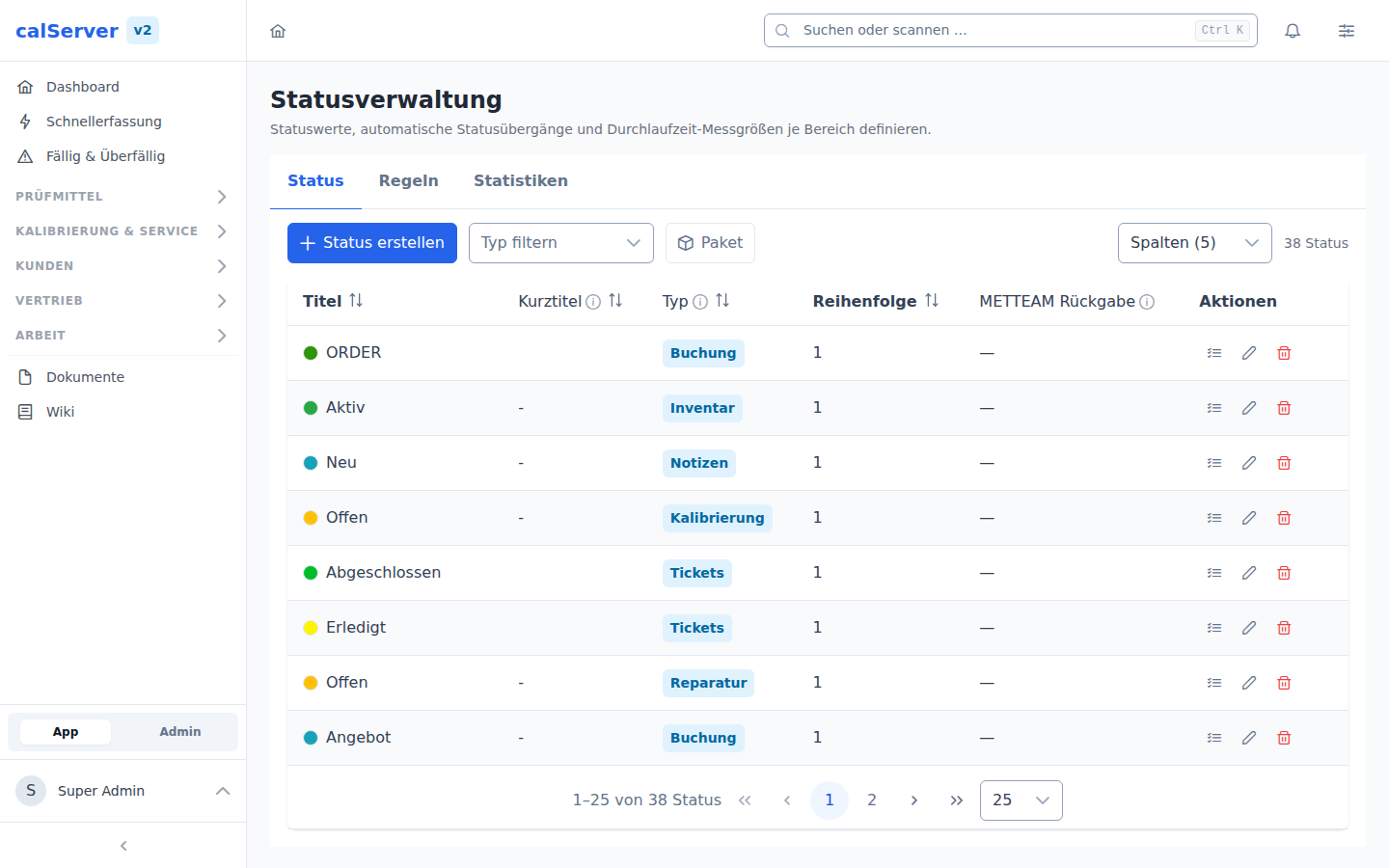
Status Overview
Statuses can be defined for the following resources:
- Inventory — e.g. Active, Out of Service, In Repair, Decommissioned
- Calibration — e.g. Open, In Progress, Completed, Invalid
- Repair — e.g. Received, In Repair, Completed, Delivered
- Booking — e.g. Reserved, On Loan, Returned
Status Properties
| Property | Description |
|---|---|
| Name | Display name of the status |
| Short Name | Abbreviation (e.g. for column display) |
| Color | Color coding in the interface |
| Order | Sort position in selection lists |
| Active | Whether the status is selectable |
| METTEAM Rückgabe | Calibration statuses only. A calibration with this status is returned to MET/TEAM: the CallSheet is closed and locked for editing there, and calServer locks it too. Any other status reopens it. Only one return status may be active; a second one is refused. Details: MET/TEAM synchronization |
Create Status
- Select the Resource (Inventory, Calibration, etc.)
- Click New Status
- Assign a name, short name, and color
- Save
Status-Specific Fields
For each status, additional fields can be configured that are only displayed for that status. The dialog opens from the list icon in the status row; the same configuration exists per category.
Every field of the area is offered — including those that appear in no mask today (marked "inaktiv" in the picker). That is the normal case: an additional field is exactly the means to make an otherwise hidden field visible or mandatory for this status. The picker also searches the V1 code (I4201, C2303 …), not just the label.
If no suitable field exists, Neues Feld creates one for the area and attaches it as an additional field right away. The new field stays hidden in all other masks until it is released in Field Management. The button appears only with the user_management_edit permission and only for areas that accept new fields (inventory, calibration, booking, repair, location — not notepad or tickets).
Export and import the status model as a package
The Package button above the status list exports a status model to a file
and imports one back. The package (calserver.status-package) carries the
status values with their presentation and sorting, the per-status additional
fields, the follow-up actions from the status rules and the
processing-time variables. Not in the package: which record currently sits in
which status.
The additional fields are the actual payload. A status name alone is a label; only the rule "in status Completed the pass/fail decision is mandatory" makes sure a calibration without a result never reaches that status. That is exactly how the starter template for calibration laboratories is cut, available on the download page of the templates repository in the Status category.
| Aspect | Behaviour |
|---|---|
| Matching | By area and title. Importing the same template twice creates no duplicates. |
| Keep existing (default) | Existing statuses stay untouched, missing ones are created. |
| Overwrite existing | Presentation and sorting are additionally taken from the package. |
| Additional fields | Written in both modes. |
| Unknown field | The rule is skipped and reported as a warning; the rest of the package still arrives. |
| Follow-up actions | Only when both statuses involved are part of the package. |
Separate permissions
Export and import require Export Statuses (status_export) and
Import Statuses (status_import). Permission to edit statuses does not
include them: a package brings the additional fields along and therefore
decides which field becomes mandatory in which status. Neither permission
is assigned to any role automatically.
The archive contains statuses.json, a manifest.json with a checksum per
file and optionally a README.md. If a checksum does not match, or the archive
holds a file the manifest does not list, the import is rejected. To adapt a
template by hand, upload the plain statuses.json instead of the archive.
Field names across installations
The package carries the readable field name (cal_result), not the metrology
code (C2323). On import it is mapped to the column this installation uses, so
a template works on a V1-named as well as a V2-named installation. A field that
does not exist here is skipped instead of aborting the import.