Contact Management
Contacts represent contact persons at customers. They are used for correspondence and as notification recipients.
Contact Overview
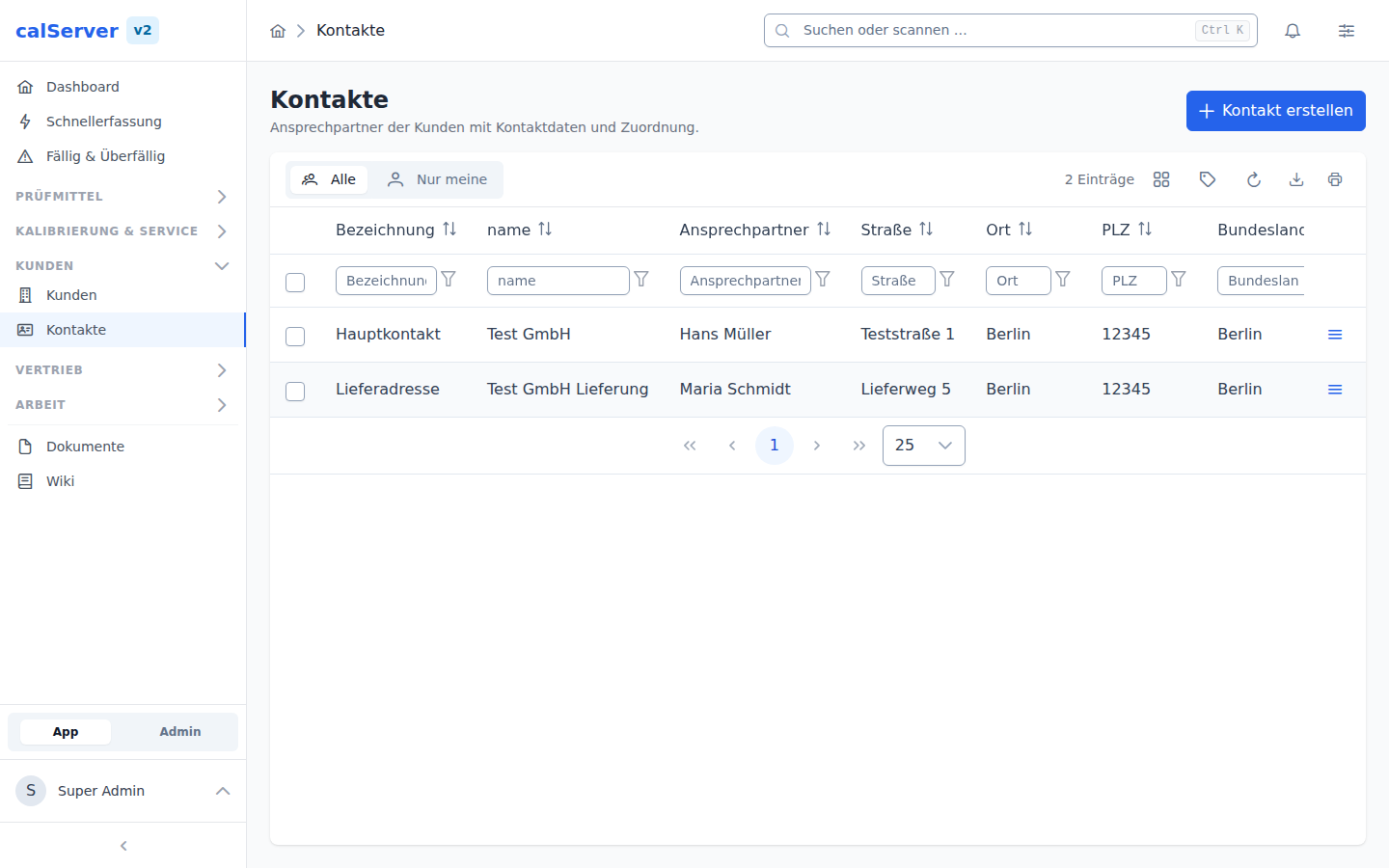
The contact list is accessible at /v2/contact. The display uses the
TableMaster component with the familiar filtering and sorting functions.
Fields
| Field | Description | Required |
|---|---|---|
| Name | First and last name of the contact person | Yes |
| Email address for correspondence | No | |
| Phone | Phone number | No |
| Position | Function/role in the company | No |
| Company | Assigned customer | Yes |
Customer Assignment
Each contact is assigned to exactly one customer. The assignment is made via the Company field and cannot be changed after creation. Contacts without a customer assignment are not permitted.
Create Contact
Contacts can be created in two ways:
- Via the contact list — Click New Contact in the overview at
/v2/contact. - Via the customer detail page — In the Contacts tab of the Customer Detail View via the Add Contact button.
The form is rendered by the DynamicForm component.
Quick Assignment
When creating a contact directly from the customer detail page, the Company field is automatically pre-filled.
Usage
Correspondence
Contacts serve as recipients for customer communication. When creating reports or certificates, the responsible contact person can be selected.
Notifications
Contacts can be configured as targets for automatic notifications, such as:
- Reminders for due calibrations
- Status changes on orders
- Delivery of reports and certificates
Email Address Required
To receive notifications, a valid email address must be on file. Contacts without an email address cannot be selected as notification recipients.
Permissions
Access to contacts is controlled by the permissions of the parent customer. Anyone with
read access to a customer (customers_view) can also see their contacts. Editing requires
customers_edit.
Search and Filters
The contact list supports filtering by:
- Name — Free-text search across first and last name
- Company — Restrict to a specific customer
- Email — Search by email address