Support Management
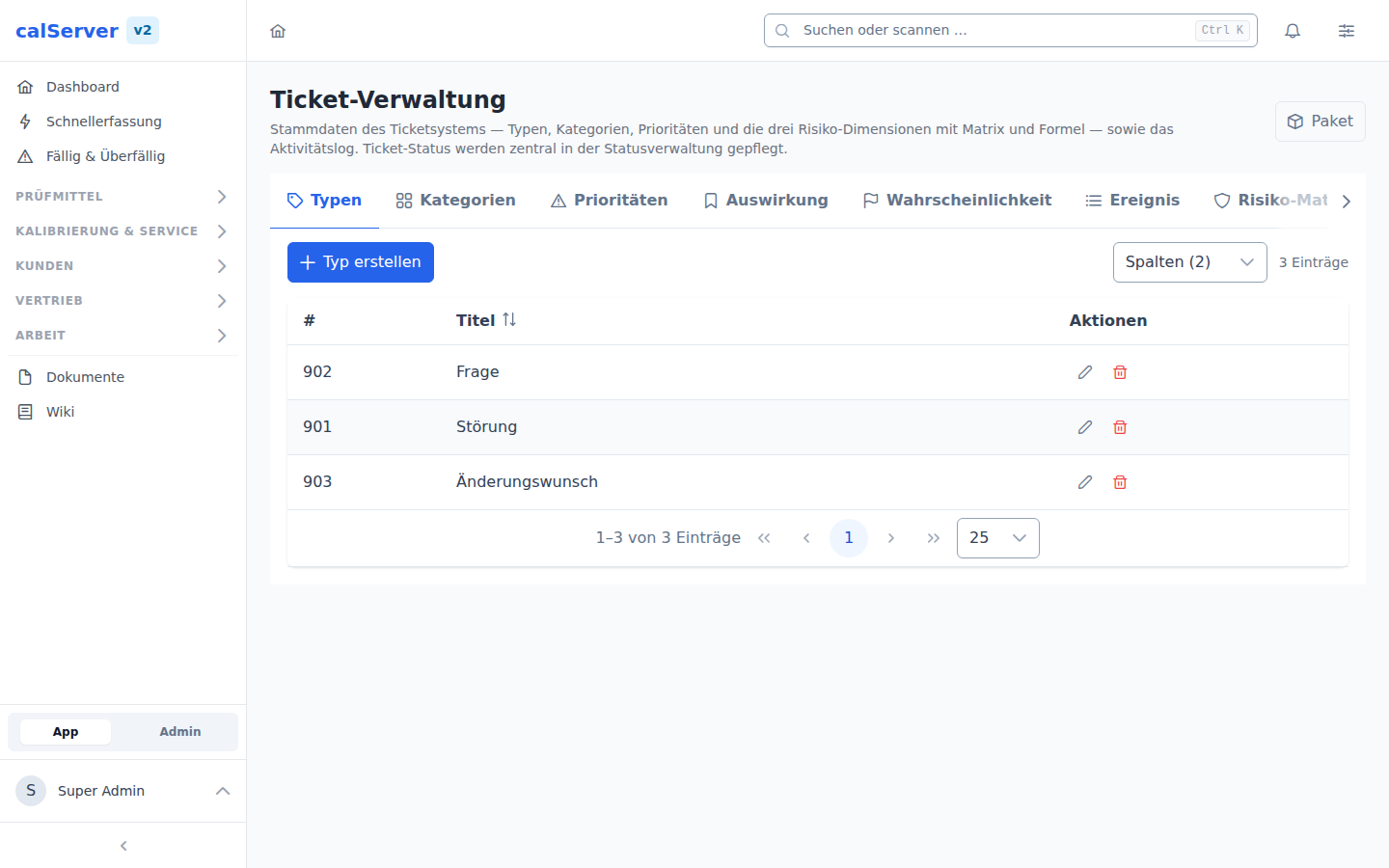
Under Administration > Ticket Management (/v2/admin/tickets), the configuration options for the support ticket system are managed.
Ticket Categories
Categories classify tickets by topic:
- e.g. Software Bug, Hardware Issue, Feature Request, General
- Freely configurable
Ticket Priorities
Priorities define the urgency:
| Priority | Typical Usage |
|---|---|
| Low | Improvement suggestions |
| Normal | Standard requests |
| High | Urgent issues |
| Critical | System outages |
The risk matrix can assign a ticket's priority automatically (see below).
Ticket Types
Types classify the nature of the ticket:
- Bug
- Feature Request
- Support Request
- Task
Risk Assessment
calServer rates every ticket by the standard risk rules, using up to three weighted assessment levels. Each level is its own list, and every step in it carries a numeric weight. The terms follow the risk vocabulary of ISO 31000, which ISO/IEC 17025 refers to in clause 8.5 ("Actions to address risks and opportunities"):
| Placeholder | Default name | In V1 | Meaning |
|---|---|---|---|
[Risk_1] |
Impact | version list | Outcome of an event affecting objectives — certain or uncertain, described qualitatively or quantitatively |
[Risk_2] |
Probability | milestone list | Chance of something happening — need not be described in mathematical terms |
[Risk_3] |
Event | risk 3 list | Occurrence or change of a particular set of circumstances; may occur more than once and have several causes and impacts |
Two levels give the classic risk matrix (impact × probability), three add the event as a further factor.
Setting up the standard assessment
A fresh installation has empty lists — without scales the assessment computes nothing. The Risiko-Formel tab therefore offers Vorlage ansehen: the template creates a 1–5 scale per level, the matrix with green/yellow/orange/red bands and the matching formula. The third level is optional.
The preview shows exactly what will be created. Existing entries are never overwritten: if any list already holds data, the setup refuses and names the level concerned.
A package brings more than the scales: the same assessment plus types, categories and priorities, ready for a laboratory according to ISO/IEC 17025. See Exporting and importing the setup as a package.
Renaming the levels
The names are freely editable — in the Risiko-Formel tab next to each level.
They are stored as translations of the keys Risk 1 / Risk 2 / Risk 3 in the
support category; V1 reads the same keys, so a name applies to both
generations. They can equally be edited in the language management under that
category.
Risk Formula
The Risiko-Formel tab defines how the weights are combined. Allowed are the
placeholders [Risk_1], [Risk_2], [Risk_3], numbers, the operators
+ - * / and parentheses.
| Formula | Result |
|---|---|
[Risk_1] * [Risk_2] |
Default: assessment with two methods |
[Risk_1] * [Risk_2] * [Risk_3] |
Assessment with three methods |
[Risk_1] * [Risk_2] + [Risk_3] |
Event as a surcharge |
The formula also decides which selects the ticket form offers: without
[Risk_3], the third level is neither asked for nor calculated — the
assessment is reduced to two methods.
Incomplete assessment
As long as a level used by the formula is not selected on the ticket, the ticket has no risk value. Only once every participating level is set does the computed value appear.
Risk Matrix
The Risiko-Matrix tab translates the computed risk value into a colour and a
priority. Each row covers a single value (5) or a range (1-3); the order
decides which row wins when ranges overlap.
| Field | Meaning |
|---|---|
| Risk value | Single value or range, e.g. 1-3 |
| Colour | Marks the ticket in the list and detail view |
| Priority | Set on the ticket automatically when it is saved |
| Deadline (days) | Calendar days a ticket in this band gets for completion. Empty means this band sets no deadline |
| Advance warning (days) | How many days before the deadline the reminder goes out. Empty means the reminder waits for the due date |
| Order | Evaluation order — the first matching row wins |
The risk value is recomputed on every read. A changed formula or weight therefore takes effect immediately for all tickets; the priority follows the next time the ticket is saved.
Deadlines
When the matching band carries a deadline, the ticket gets a due date on save. It counts from the first complete assessment, not from creation: a ticket that sits unassessed for three weeks would otherwise get a deadline that is already half spent when it appears.
| Case | Behaviour |
|---|---|
| Assessment incomplete | No due date. Clearing a level briefly does not lose the deadline |
| Reassessed upwards | The due date moves closer. A harsher assessment may speed up an action in progress |
| Reassessed downwards | The due date stays. A deadline cannot be argued away by downgrading |
| Set by hand | Stays, across reassessments. The change is recorded in the ticket history |
| Handed back to automatic | The due date is derived from the band again on the next save |
Deadlines count calendar days. calServer knows nothing about working days, public holidays or leave, and the deadlines from the DAkkS templates ("3 months", "1 month") are calendar deadlines.
The ticket list shows the due date as a traffic light in the Fällig column (red overdue, amber within a week), and the Nur überfällige filter shows exactly the items an assessment asks about.
Reminder and escalation
The scheduled task Ticket deadlines (Administration > Scheduled tasks, default daily at 06:00) reports two events:
| Event | When | To whom |
|---|---|---|
| Reminder | The band's advance warning has started, at the latest on the due date | Assignee, otherwise the ticket's assigned group |
| Escalation | Deadline passed, ticket not closed | Additionally the configured escalation group |
Both arrive as a bell notification and, when mail is configured, as an email (templates Maßnahme fällig and Frist überschritten). Every escalation also writes a line into the ticket history — in an assessment, "we would have reported it" without evidence is worth nothing.
Each ticket is reminded once and escalated once; a second run stays quiet on the same item. When the due date changes, the stamp is cleared and the reminder comes again for the new deadline.
Two settings for this sit in the Risiko-Formel tab, section Fristen:
| Setting | Meaning |
|---|---|
| Escalation group | Notified in addition when a deadline is missed. Without a selection the notice stays with assignee and ticket group |
| End statuses | Ticket statuses in which an item counts as done. Without them the run also chases closed items |
Set the end statuses
The end statuses are the one setting without which the run is visibly
wrong: active/visible on the status is not enough — an end status is
active and visible, it merely means there is nothing left to do. The dry
run says so explicitly:
Risk reports on the dashboard
Two widgets report on the assessment (Dashboard > Add widget > Support):
| Widget | Content |
|---|---|
| Risk matrix | Two levels as a heatmap: impact (rows) against probability (columns), each cell showing the ticket count in the colour of the risk matrix |
| Overdue actions | Number of open tickets whose deadline has passed. Clicking opens the filtered list |
| Actions due soon | Number of open tickets whose deadline falls within the next seven days |
| Risk levels | All three levels plus the overall risk as bars per step; levels the formula does not use are greyed out |
Both can be narrowed per widget by project, category and ticket status. When the
formula uses [Risk_3], a matrix cell no longer has a single value — it then
shows the highest risk value its tickets actually reach.
Exporting and importing the setup as a package
The Paket button in the top right takes the entire setup of the ticket
system out as a file and plays it back in elsewhere. The package
(calserver.ticket-config-package) carries
- the ticket types, ticket categories and priorities,
- the steps of every assessment level with weight, colour and description,
- the risk matrix with its bands, the priority mapping and the deadline plus advance warning per band,
- the risk formula and the display names of the assessment levels.
Not in the package: the tickets themselves and the ticket statuses. The statuses live in the shared status catalogue and have their own format — they are exported and imported under status administration as a status package.
| Point | Behaviour |
|---|---|
| Recognition | By title per list, and by band (10-14) for the matrix. Importing the same template twice creates no twins. |
| Keep existing (default) | Existing entries stay untouched, missing ones are created. |
| Overwrite existing | Additionally pulls weights, colours and descriptions from the package. |
| Formula and level names | Are adopted as long as they still hold the factory default. A customised formula stays and is only replaced when overwriting — the report says what happened either way. |
| Priority of a matrix row | Travels as a title, not an ID. If that priority does not exist here, the row stays without one and the report names it. |
| Deadlines | Arrived with document version 2. An older package without deadlines stays readable and never clears a configured deadline, not even when overwriting. |
| Unusable formula or bands | The import is refused as a whole; nothing is written. |
Separate permissions
Export and import depend on Export Ticket Management
(support_config_export) and Import Ticket Management
(support_config_import). Being allowed to operate the ticket
administration does not include them: a package carries formula and matrix
and therefore decides the priority of every ticket. Neither permission is
assigned to a role automatically.
The archive contains ticket-config.json, a manifest.json with a checksum per
file and optionally a README.md. If a checksum differs or an unlisted file
sits in the archive, the import is refused. To adapt a template by hand, upload
the plain ticket-config.json instead of the archive.
Starter templates for accredited laboratories
The download page of the template repository offers two ready-made setups for a laboratory according to ISO/IEC 17025 in the Ticketmanagement category. Both bring the same catalogues — eight process types (risk, opportunity, nonconforming work, complaint, corrective action, improvement, audit finding, change), twenty subject areas along the standard's clauses and four priorities — and differ only in the assessment:
| Template | Assessment | Range |
|---|---|---|
| Ticket management (two methods) | impact × probability | 1 to 25 |
| Ticket management (three methods) | impact × probability × detectability | 1 to 125 |
The matching status package, Status: Risiken, Chancen und Maßnahmen im Ticketsystem, carries the workflow (new, assessed, action planned, in progress, verify effectiveness, closed, no action required) and is imported under status administration.
Import only one of the two assessments
Both templates carry the same catalogues but different matrix bands. Imported one after the other, the matrix would hold eight bands, half of them overlapping.
The templates bring the deadlines per band with them (90 / 30 / 7 days, the lowest band without one) along with the advance warning. calServer derives the due date from them and reports when it is missed — that is more than a proposal in a README.
What the templates deliberately do not do: responsibilities. Who decides, who approves and what counts as an immediate action belongs in the laboratory's procedure; the package READMEs propose such rules in a form that holds up in an assessment. Escalation group and end statuses are not package content either — they depend on the groups and statuses of this installation and are set once in ticket administration.
Risks and opportunities in one system
ISO/IEC 17025 treats both in the same clause (8.5) and demands the same evidence for both: identified, assessed, decided, and where acted upon, shown to be effective. The templates therefore keep them in the same ticket system, distinguished by ticket type. The assessment works for an opportunity with the same matrix, only read differently: impact is then the benefit, probability the confidence that it materialises, and a high value means "schedule it" rather than "remove it".
That is a convention of the laboratory, not a calculation rule of the system — it belongs in the procedure so that it is applied consistently.