Backup and Recovery Management
Under Administration > Backup you manage the data backups of the system. The module is divided into the sections Backups and Backup Actions.
Backups
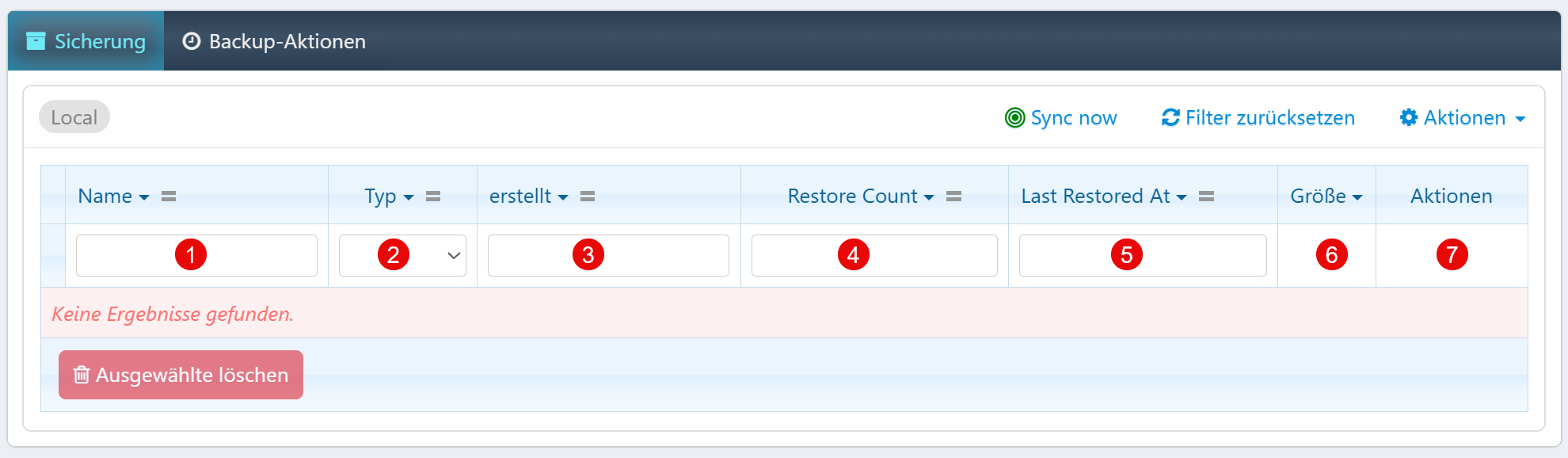
The backup overview shows all locally stored backups:
| Field | Description |
|---|---|
| Name | File name or tag of the backup (e.g., daily-2025-06-17). |
| Type | Artifact class: database, files, full, or incremental. |
| Created | Creation timestamp of the backup. |
| Restore Count | Number of restorations already performed. |
| Last Restored At | Timestamp of the last restoration. |
| Size | Physical volume of the backup file. |
| Actions | Download, Restore, Verify, Delete. |
Backup Types
| Type | Description |
|---|---|
| database | Pure database dumps (fast, compact). |
| files | Document and upload directories. |
| full | Complete system image. |
| incremental | Differential backup since the last full backup. |
Recommended Retention
| Interval | Recommendation |
|---|---|
| daily | At least 7 days |
| weekly | At least 4 weeks |
| monthly | At least 12 months |
Tip
Regularly filter for "Restore Count = 0" and older creation dates to identify unneeded backups and free up storage space.
Backup Actions
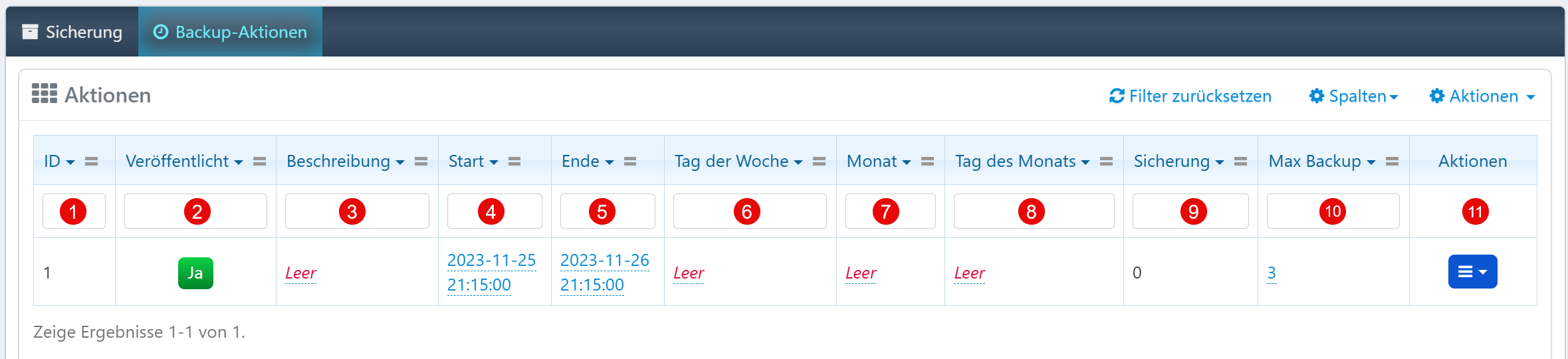
The action overview shows all configured backup jobs:
| Field | Description |
|---|---|
| ID | Unique identification number of the backup action. |
| Published | Only active actions (Yes) are executed on schedule. |
| Description | Optional label for the backup action. |
| Start / End | Time control for the action. |
| Day of Week | Weekday for execution. |
| Month | Month for execution. |
| Day of Month | Day of the month for execution. |
| Backup | Number of backups already performed. |
| Max Backup | Maximum number of stored backups. Older ones are automatically removed. |
| Actions | Edit, Duplicate, Delete. |
Warning
Regularly check whether active backup actions are actually being executed by comparing the backup counter with the max backup value.