Synchronization
Under Administration > Synchronization, you configure and monitor the SymmetricDS database synchronization between distributed calServer instances. The module is divided into five areas: Overview, Comparison, Log, Protocol Tables, and Configuration.
On-Premise Only
Synchronization is only available for on-premise installations.
Overview
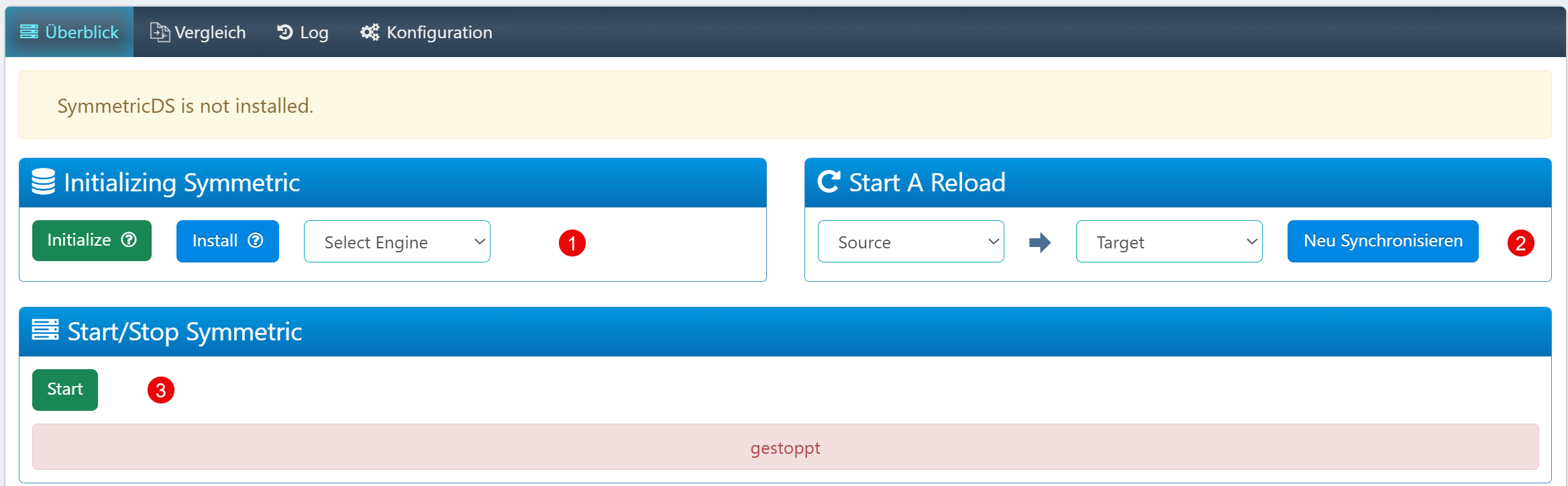
The overview provides central control of the SymmetricDS engine:
| Element | Description |
|---|---|
| Select Engine | Selection of the SymmetricDS engine to initialize (relevant for multi-engine environments). |
| Re-Synchronize | Manual initialization of a synchronization between source and target instance. |
| Start | Start of the SymmetricDS server process. |
The status indicator shows the current state of the service (started/stopped). If the message "SymmetricDS is not installed" appears, the installation must be performed first.
Comparison
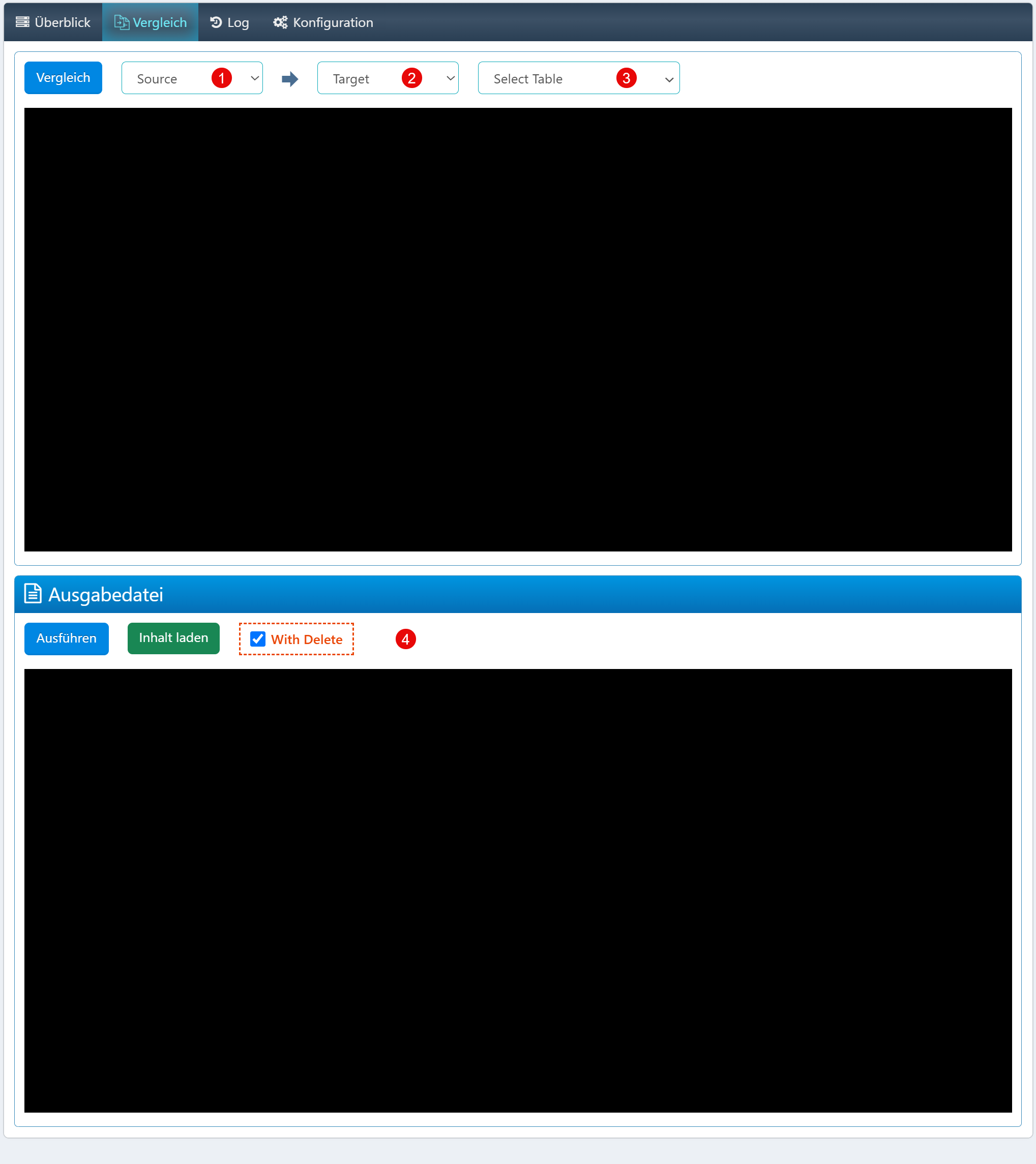
The comparison enables targeted analysis and reconciliation of individual database tables between instances.
| Field | Description |
|---|---|
| Source | Source instance for the comparison. |
| Target | Target instance for the comparison. |
| Select Table | Table to be compared. |
| With Delete | Controls whether records present in the target but missing in the source are marked for deletion. |
Caution with With Delete
The "With Delete" option should only be activated with caution on production systems, as it can lead to data loss.
Log
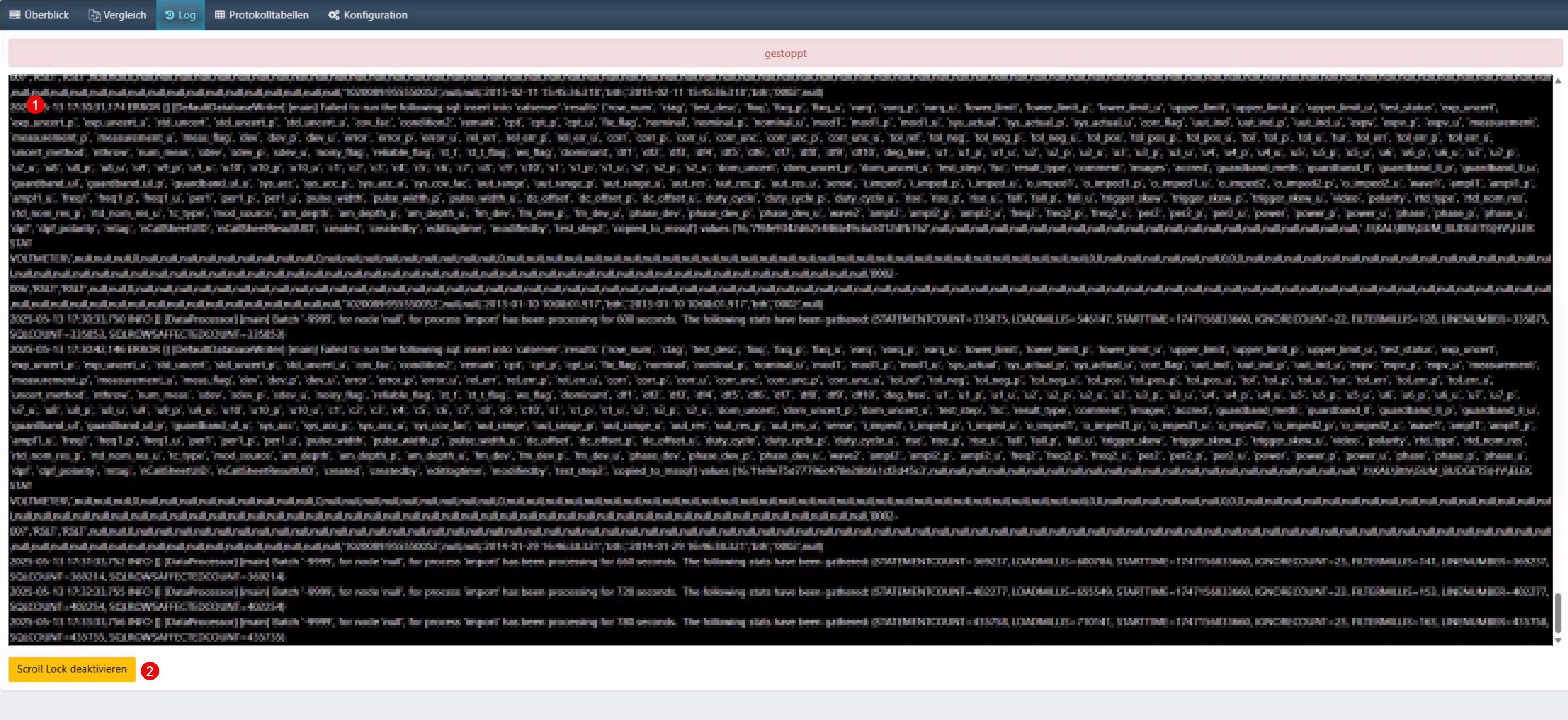
The live console shows real-time logs of running import and synchronization processes:
| Element | Description |
|---|---|
| Log Output | Raw data display with SQL commands, runtime information, and status messages. |
| Scroll Lock | Disables automatic scrolling for targeted analysis of specific entries. |
Protocol Tables
Plugin Required
This area is only available when the SymmetricDS plugin is installed.
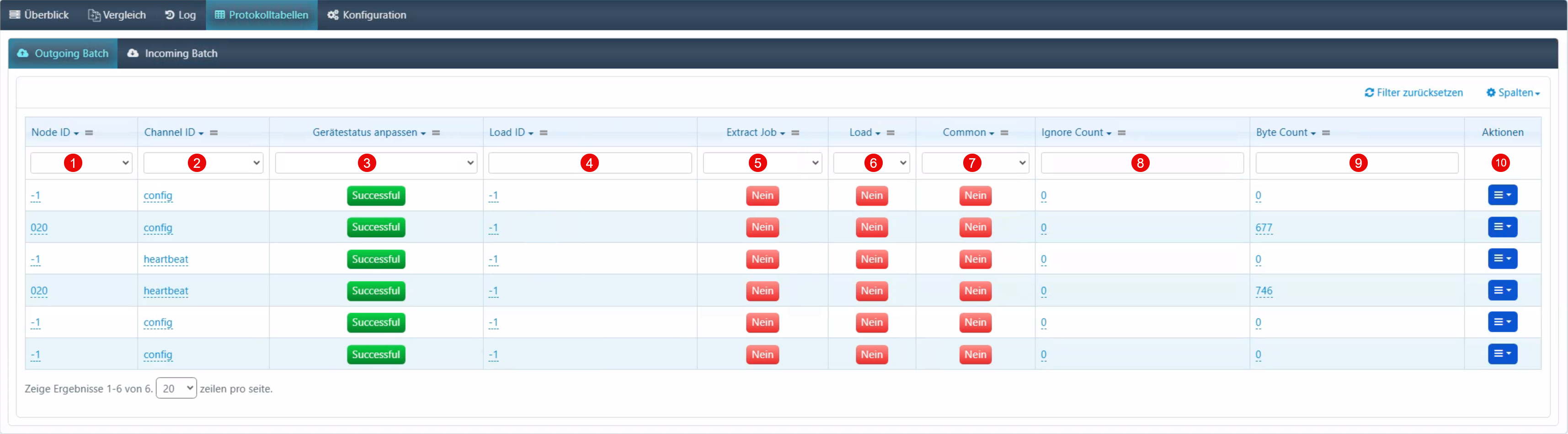
The protocol tables show the status of outgoing batch processes:
| Field | Description |
|---|---|
| Node ID | Identification of the communication node. |
| Channel ID | Transmission channel used (e.g., config, heartbeat). |
| Device Status | Processing status (e.g., Successful). |
| Load ID | Unique ID of the load operation. |
| Extract Job | Indicator whether an extraction job is assigned. |
| Load | Display whether the data has been loaded. |
| Common | Designation as a common batch. |
| Ignore Count | Number of times the entry was ignored. |
| Byte Count | Processed data volume in bytes. |
| Actions | View details, reload, delete. |
Configuration
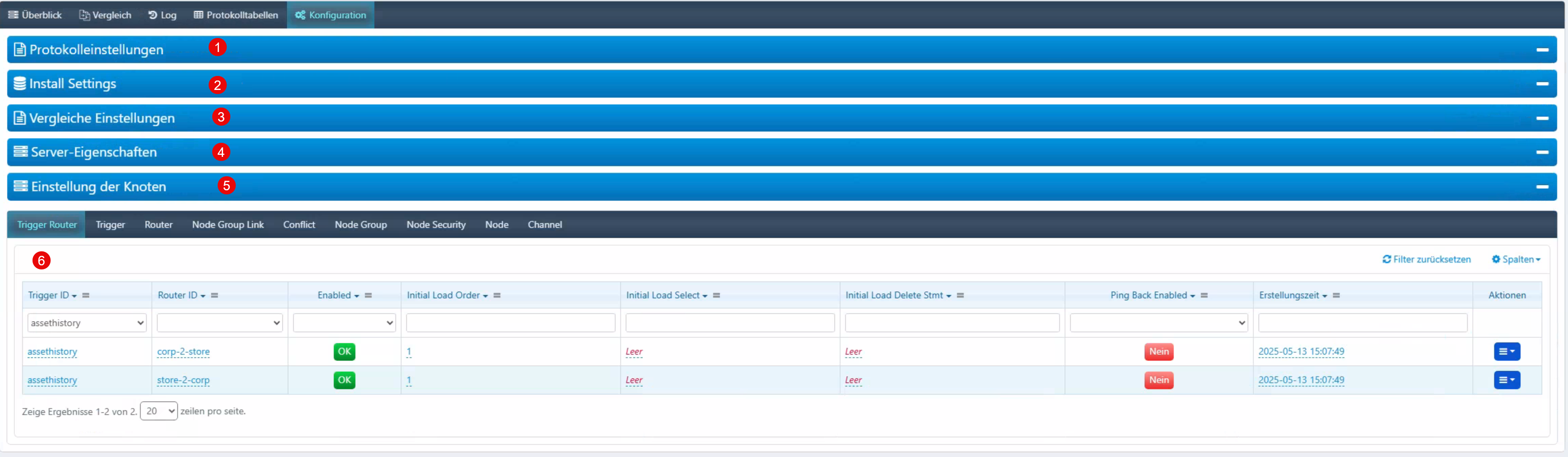
The configuration is divided into several tabs:
| Tab | Description |
|---|---|
| Protocol Settings | Parameters for logging and auditing. |
| Install Settings | System settings for initial configuration. |
| Comparison Settings | Control of comparison logic and delta analyses. |
| Server Properties | Server-side parameters (storage paths, JVM settings). |
| Node Settings | Configuration of connected nodes in the distributed system. |
| Trigger Router | Management of data flow control via trigger-to-router assignments. |
In the Trigger Router area, it is defined which data trigger is linked to which router. The configuration includes activation status, initial load order, and ping-back communication.