QR Code Role
Under Administration > User Management > QR Code Role, you define roles for QR code-based access. With these roles, you control which functions (e.g., portal access, QR link access) are available via QR codes.
Configuration
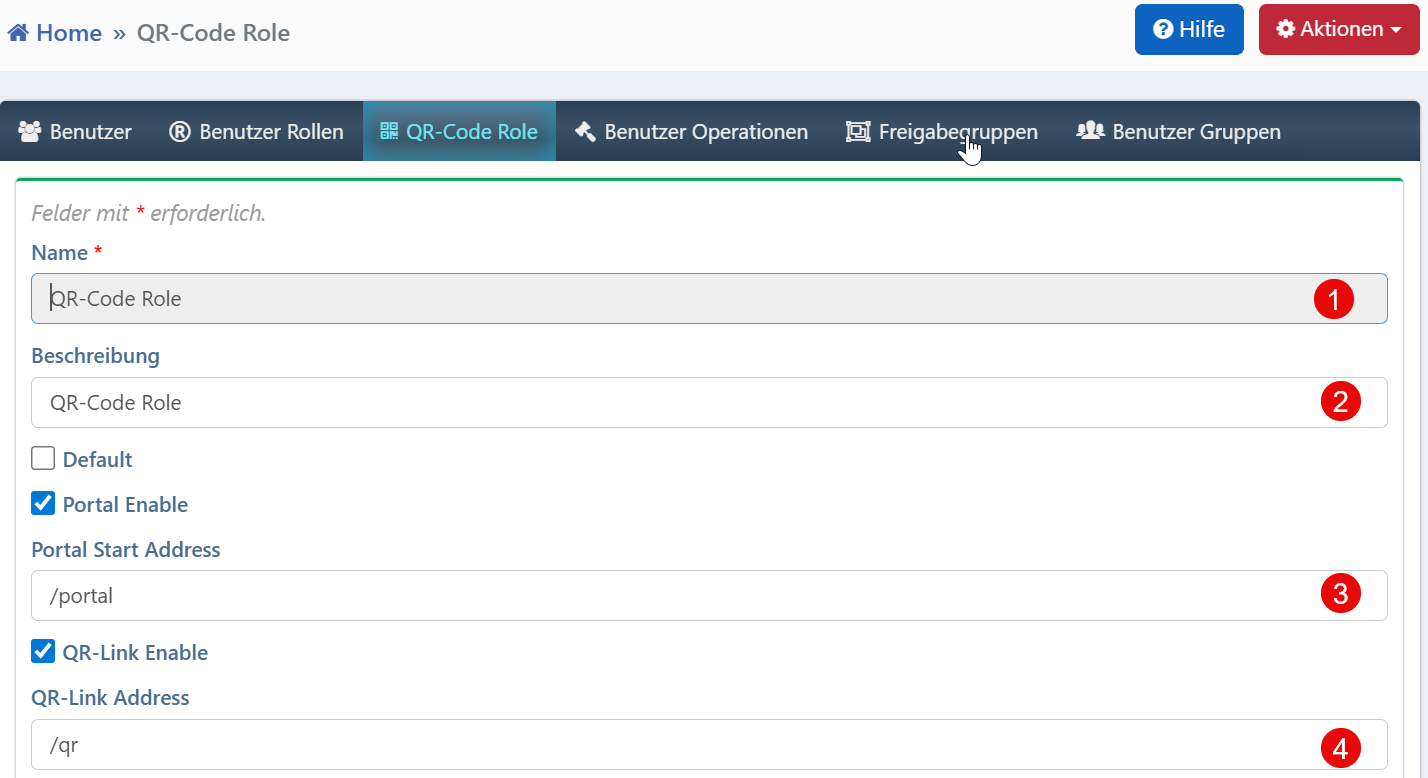
| Field | Description |
|---|---|
| Name | Designation of the QR code role (required field). |
| Description | Free text field for explaining the role's purpose. |
| Portal Enable | Enables access to the portal page for this role. |
| QR-Link Enable | Enables access via QR code-based URLs (e.g., /qr?id=12345). |
Use Cases
- Role-Specific Access: Users receive restricted access via QR codes, e.g., for scanning devices and viewing calibration data.
- QR Code Portals: When the portal is enabled, a reduced interface is provided for mobile devices.
- Simplified Permission Assignment: QR code roles can be assigned independently of traditional user permissions.
Notes
- The role name must be unique system-wide.
- The endpoints
/portaland/qrare default paths and can be adjusted at the system level. - The "Default" option automatically sets this role on creation and should be used with caution.