Roles
Under Administration > User Management > Roles, you manage the user roles of the system. Roles define permissions and visibilities and are assigned to users to control their access precisely.
Role Overview
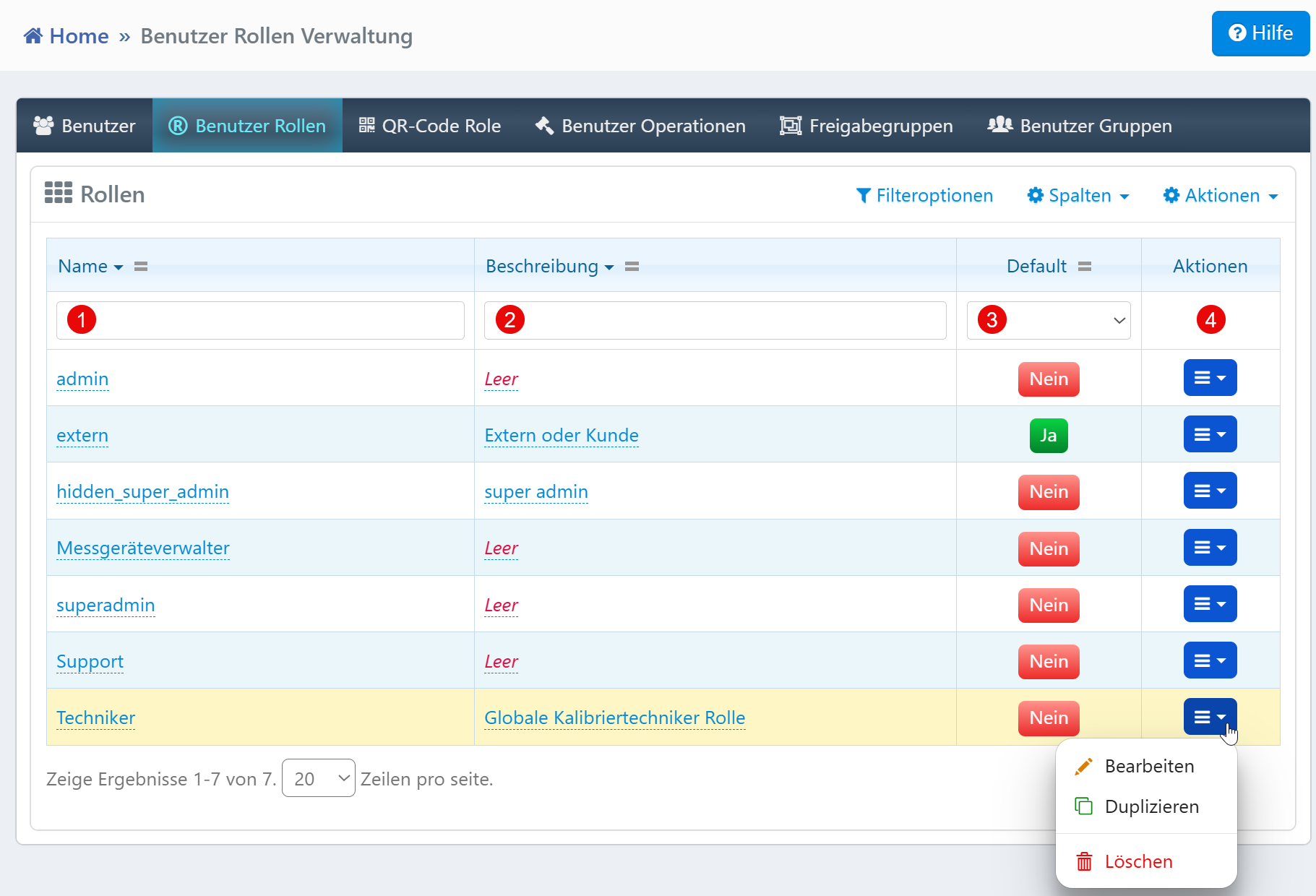
| Field | Description |
|---|---|
| Name | Technical role name (e.g., "admin", "Support", "Technician"). |
| Description | Explanation of the role's purpose. |
| Default | Indicates the default role for new users. |
| Actions | Edit, duplicate, or delete the role. |
Typical Tasks
- Create Roles: Create new roles via the input form and assign permissions.
- Duplicate Roles: Copy existing roles via the action menu and customize them without modifying the original.
- Set Default Role: Define exactly one role as the default for new users.
- Security Review: Identify and review roles with elevated permissions (e.g., "hidden_super_admin").
Notes
- Empty description fields should be filled with meaningful explanations to avoid misunderstandings during role assignment.
- There should always be only one default role at a time.
- The filter fields respond dynamically to input.