Groups
Under Administration > User Management > Groups, you logically group users, e.g., by department, area of responsibility, or location. Groups can also be linked to specific customers and facilitate permission management and task assignment.
Group Overview
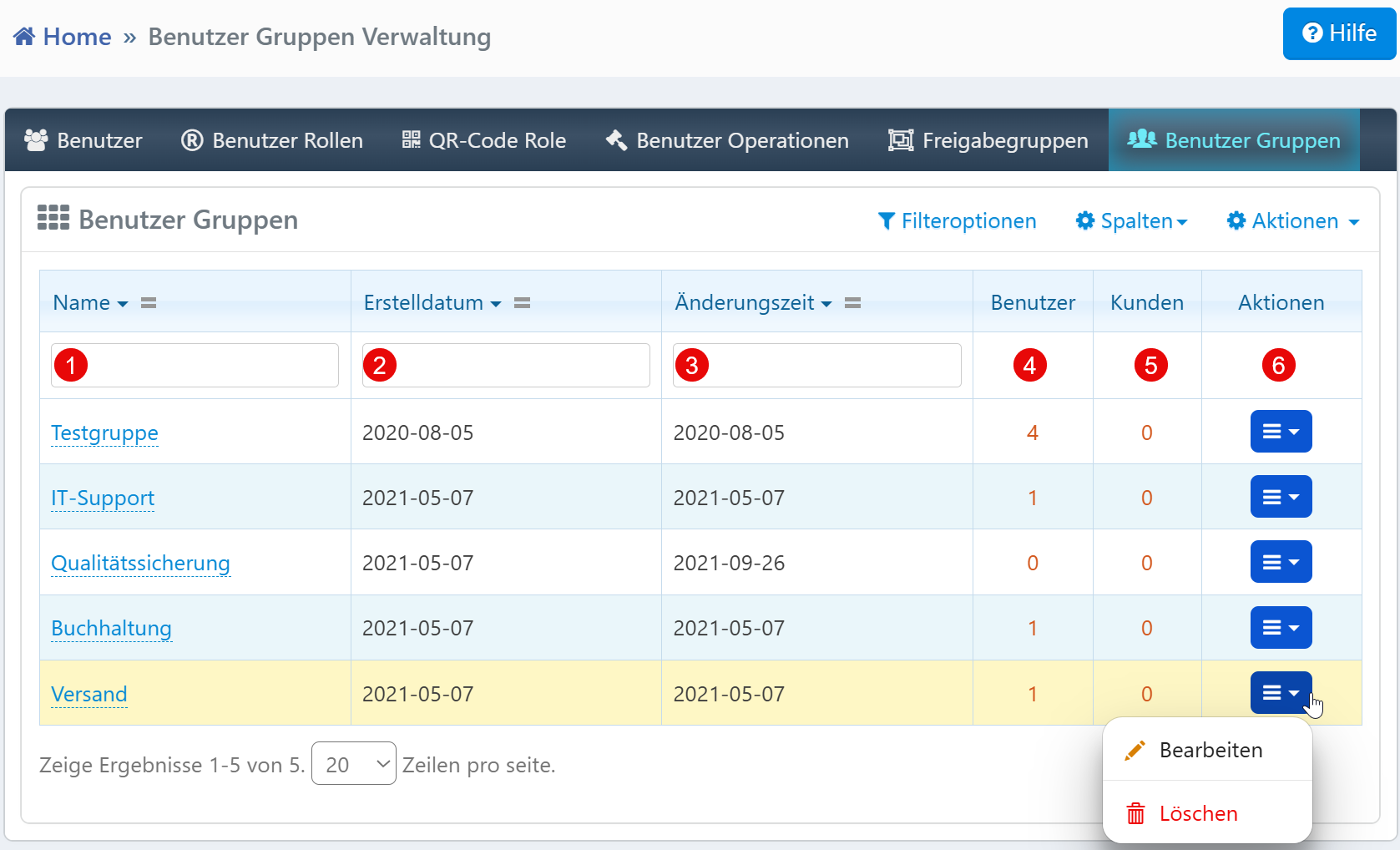
| Field | Description |
|---|---|
| Name | Designation of the user group. |
| Created Date | Date the group was created. |
| Modified Date | Time of the last modification. |
| Users | Number of assigned users. |
| Customers | Number of linked customer objects. |
| Actions | Edit or delete the group. |
Typical Tasks
- Create Groups: Create new groups and assign users and customers.
- Group Analysis: Identify groups with few or no assignments to optimize the structure.
- Audit Reviews: Filter by creation date or modification date to find recently updated groups.
Notes
- A user count of "0" may indicate unused or redundant groups.
- Changes to groups immediately affect the access capabilities of the associated users.
- Deleting a group is only possible if it is no longer actively referenced.