Inbox Folder
The inbox folder is used for managing and reviewing incoming files in the document management system. Documents that were loaded into the inbox automatically or manually are listed here. The goal is to review, assign, and transfer them into the DMS in a structured manner.
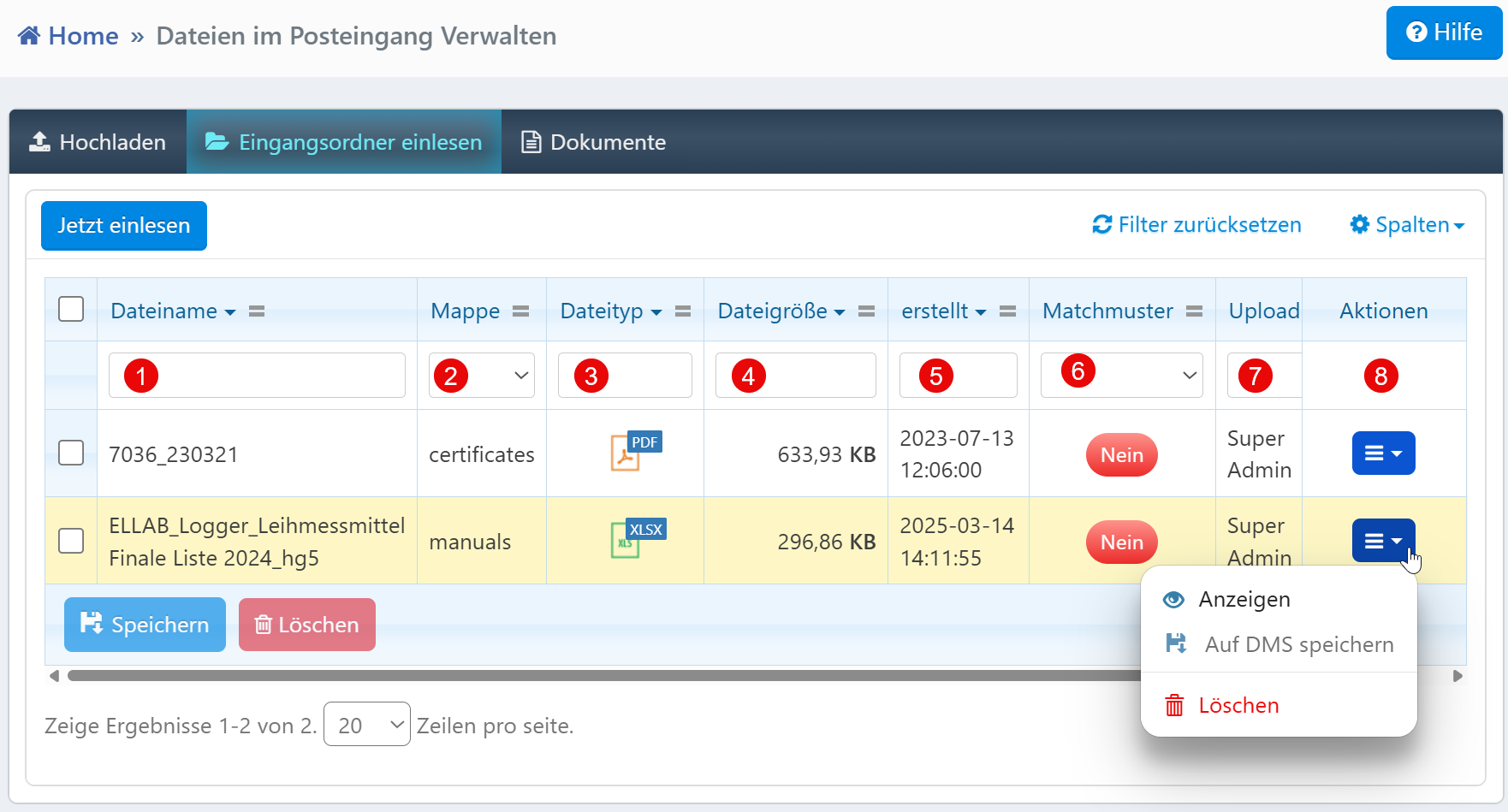

Table View
The filter row above the table allows targeted searching for documents:
| No. | Column | Description |
|---|---|---|
| ① | File name | Filter by specific file name |
| ② | Folder | Filter by assigned storage folder (e.g., "manuals", "certificates") |
| ③ | File type | Filter by file format (e.g., PDF, XLSX) |
| ④ | File size | Narrow down by file size |
| ⑤ | Created | Filter by creation date and time |
| ⑥ | Match pattern | Indicates whether the document matches a predefined recognition pattern |
| ⑦ | Upload | Filter by the user who performed the upload |
All filter fields can be combined freely. Partial terms are allowed (e.g., "Logger" finds "ELLAB_Logger...").
Match Pattern
The match pattern indicates whether a document matches a predefined classification pattern. The value "No" means that manual assignment is required.
Action Menu
The following functions are available via the action menu at the end of each row:
- View -- Opens a preview of the document or redirects to the detail view
- Save to DMS -- Transfers the document to the central document management system after review (possibly with automatic tagging)
- Delete -- Removes the file from the inbox after a confirmation prompt
Additional Actions
- Read in now -- Starts a manual scan or processing operation for all displayed files
- Save / Delete -- Executes actions for selected entries
Note for administrators
The match pattern configuration should be regularly reviewed and expanded to ensure a high automation rate. Access to sensitive documents or delete functions should be managed through the permissions system.