Price List
The price list is used to manage price entries for product types within defined price groups. The table allows targeted filtering, editing, and management of price data.
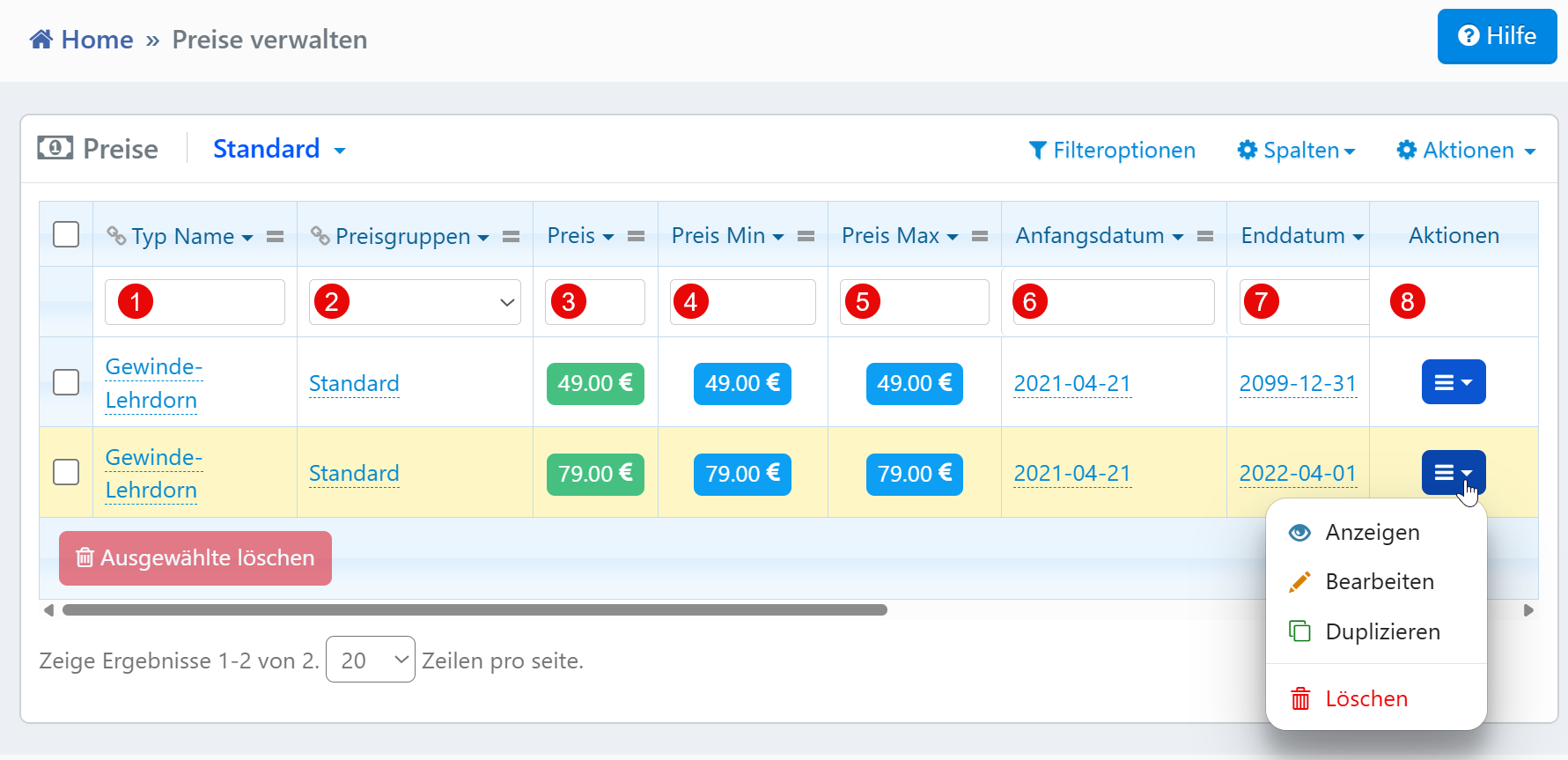
Table View
The filter row above the table enables targeted searching for price entries:
| No. | Column | Description |
|---|---|---|
| ① | Type Name | Filter by product type name |
| ② | Price Groups | Dropdown to filter by price group |
| ③ | Price | Filter by exact price |
| ④ | Price Min | Set a minimum price for filtering |
| ⑤ | Price Max | Set a maximum price for filtering |
| ⑥ | Start Date | Filter by price validity start date |
| ⑦ | End Date | Filter by price validity end date |
Filter Functions
All filter fields act directly on the table. Results are dynamically updated without requiring additional confirmation.
Multiple fields can be used simultaneously, e.g., to find all prices of a specific group within a specific time period with a minimum price above 50 EUR.
Date fields accept the ISO format YYYY-MM-DD. The price fields do not actively check for plausibility -- a minimum price greater than the maximum price results in zero results but no error message.
Action Menu
The following functions are available via the action menu at the end of each row:
- View -- Opens a read-only detail view of the price entry
- Edit -- Opens the editing form with all associated fields
- Duplicate -- Creates a new entry with the same values for further customization
- Delete -- Permanently removes the entry after a confirmation prompt
Note
The action menu may be restricted depending on user permissions. Unauthorized users may only see the "View" function.