Operations
Under Administration > User Management > Operations, you manage the system operations that are available to users via permission groups. Each operation represents a specific action within a module, e.g., creating, editing, or deleting objects.
Operation Overview
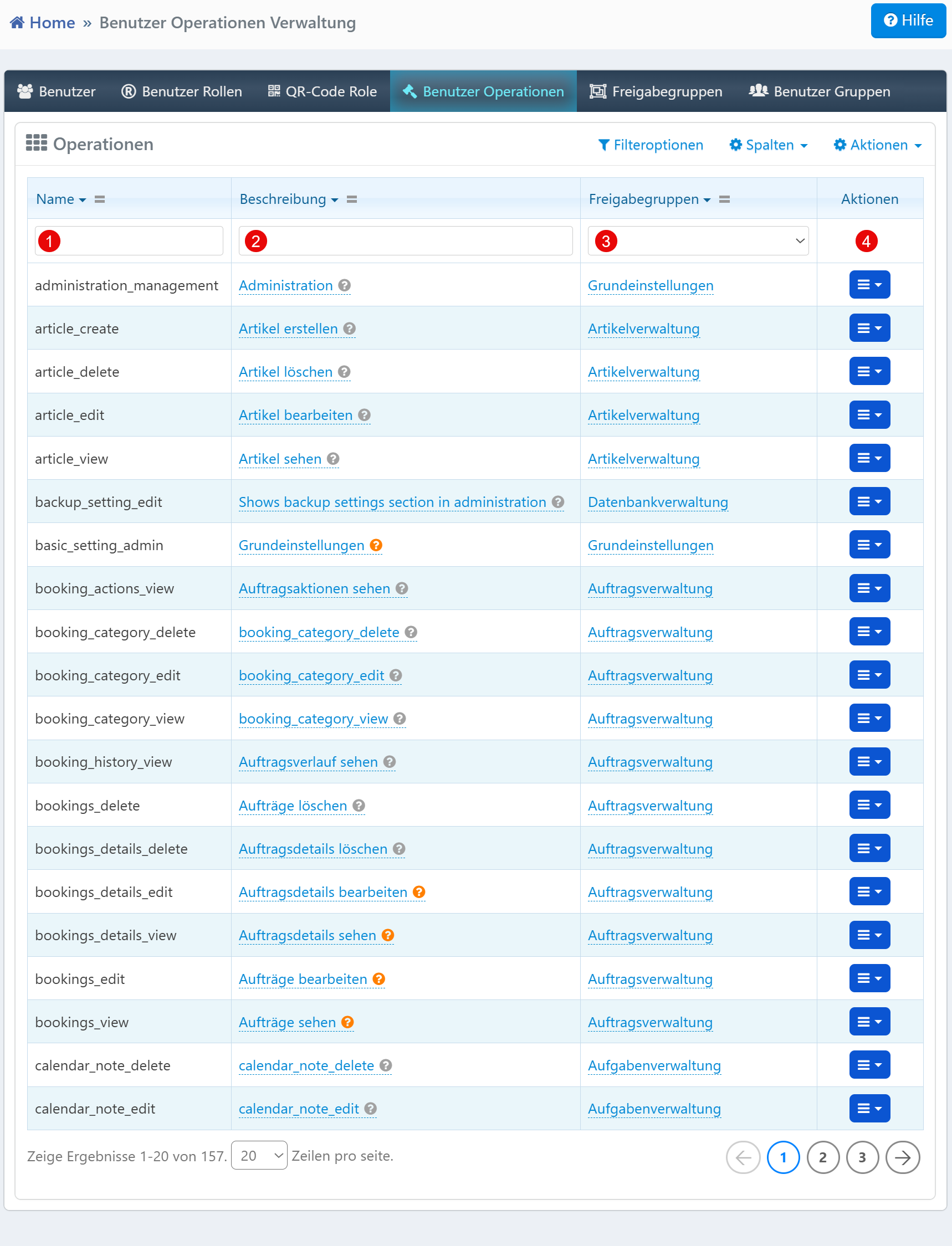
| Field | Description |
|---|---|
| Name | Technical identifier of the operation (e.g., article_create). Follows the convention <entity>_<action>. |
| Description | Human-readable description of the operation's function. |
| Permission Groups | Assigned permission group in which the operation is used. |
| Actions | Edit or delete the operation entry. |
Typical Tasks
- Permission Assignment: Check which actions are available in which permission group.
- Extending Functionality: Add new operations and assign them to the appropriate groups (e.g., "Order Management", "File Management").
- Troubleshooting Permissions: If a user is missing a function (e.g., a button), check the operation assignment here.
Notes
- Changes to operations immediately affect user permissions.
- Deleting an operation should be done with care, as it removes functionality.
- The filter fields allow quick navigation even with many entries.