Rules
Under Administration > Settings > Rules, system-wide parameters for deadlines, barcode printing, status fields, counters, and security rules are configured.
Rule Settings
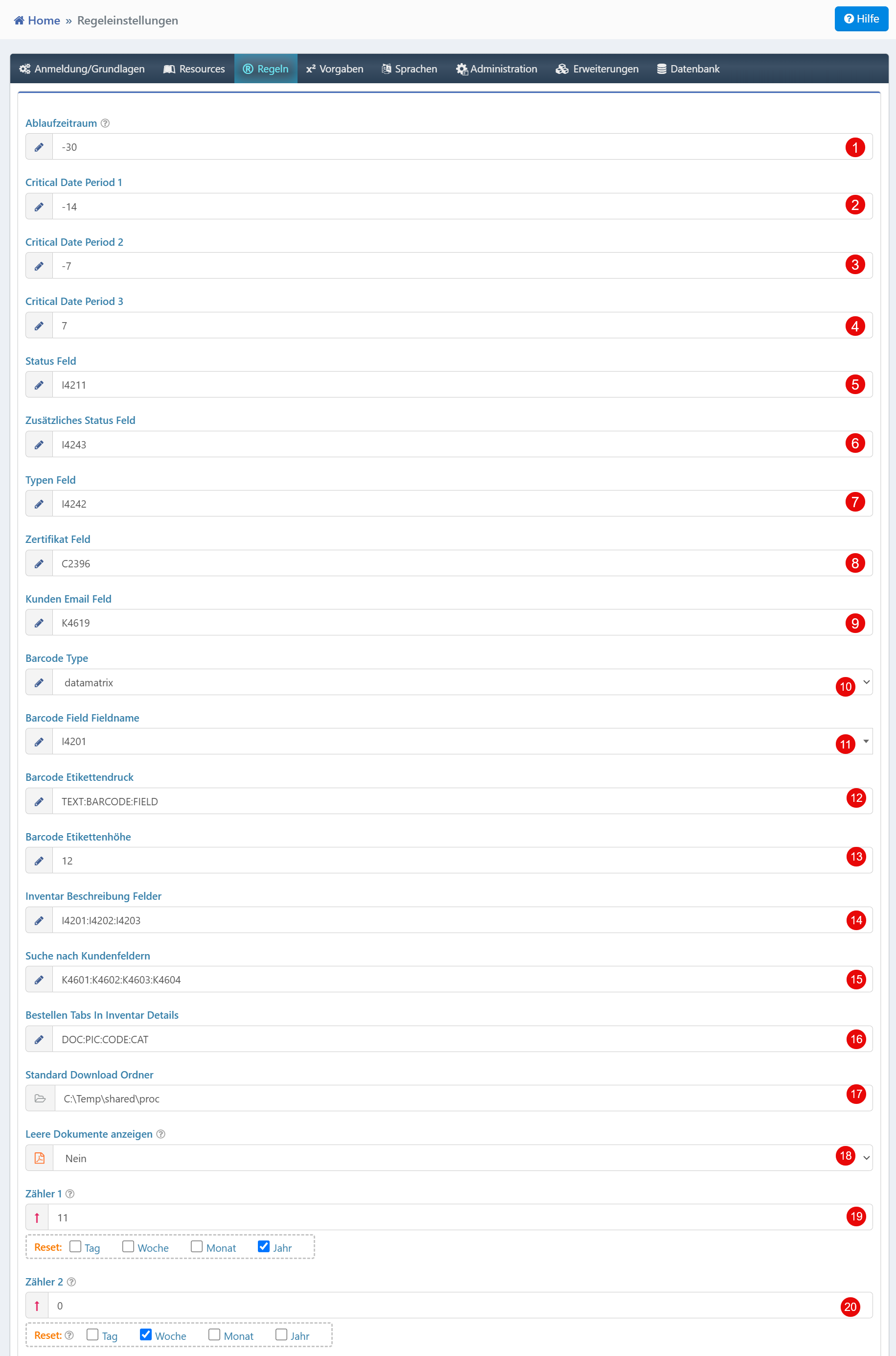
Deadlines and Expiration Periods
| Field | Description |
|---|---|
| Expiration Period | Number of days after which a record is considered expired. |
| Critical Date Period 1 | First critical deadline in days before a relevant date (e.g., for reminders). |
| Critical Date Period 2 | Second critical deadline for time-based notifications. |
| Critical Date Period 3 | Third critical deadline for further escalation levels. |
Status Fields
| Field | Description |
|---|---|
| Status Field | Reference to the field that defines the current status of an object. |
| Additional Status Field | Optional additional status field for extended categorization. |
| Type Field | Field for defining the object type. |
| Certificate Field | Field for assigning certificate information. |
| Customer Email Field | Field containing the customer email address. |
Barcode Configuration
| Field | Description |
|---|---|
| Barcode Type | Type of barcode (e.g., datamatrix). |
| Barcode Field Name | Field used for barcode generation. |
| Barcode Label Printing | Template or format string for label output. |
| Barcode Label Height | Height of the label (e.g., in mm). |
Additional Settings
| Field | Description |
|---|---|
| Inventory Description Fields | Fields used for describing inventory objects. |
| Search by Customer Fields | Fields considered in the customer search. |
| Order Tabs In Inventory Details | Control of tabs in the detail section of orders. |
| Default Download Folder | Local path for downloaded files. |
| Show Empty Documents | Controls whether empty documents are displayed. |
Counters
| Field | Description |
|---|---|
| Counter 1 | Configurable counter with reset interval (e.g., yearly). |
| Counter 2 | Second counter with its own reset interval. |
Tip
The reset function of the counters should be adapted to your process model, e.g., yearly reset for sequential document numbers.
Security Rules
| Field | Description |
|---|---|
| Prevent Duplicate Inventory Numbers | Blocks the assignment of already existing inventory numbers. |
| Prevent Duplicate Transaction Numbers | Prevents multiple use of identical transaction numbers. |
| Warn on Existing Order | Displays a warning when an order already exists. |
| Enable Approvals in File Management | Enables a badge that indicates when users have opened files. |
| Enable Local User Accounts | Allows management of local user accounts (without LDAP/AD). |
Warning
Local user accounts should only be enabled when no central user management (LDAP/Active Directory) is available.