Procedure Templates
Procedure templates enable the management and versioning of calibration instructions. They ensure that calibration processes are carried out uniformly and in a version-safe manner.
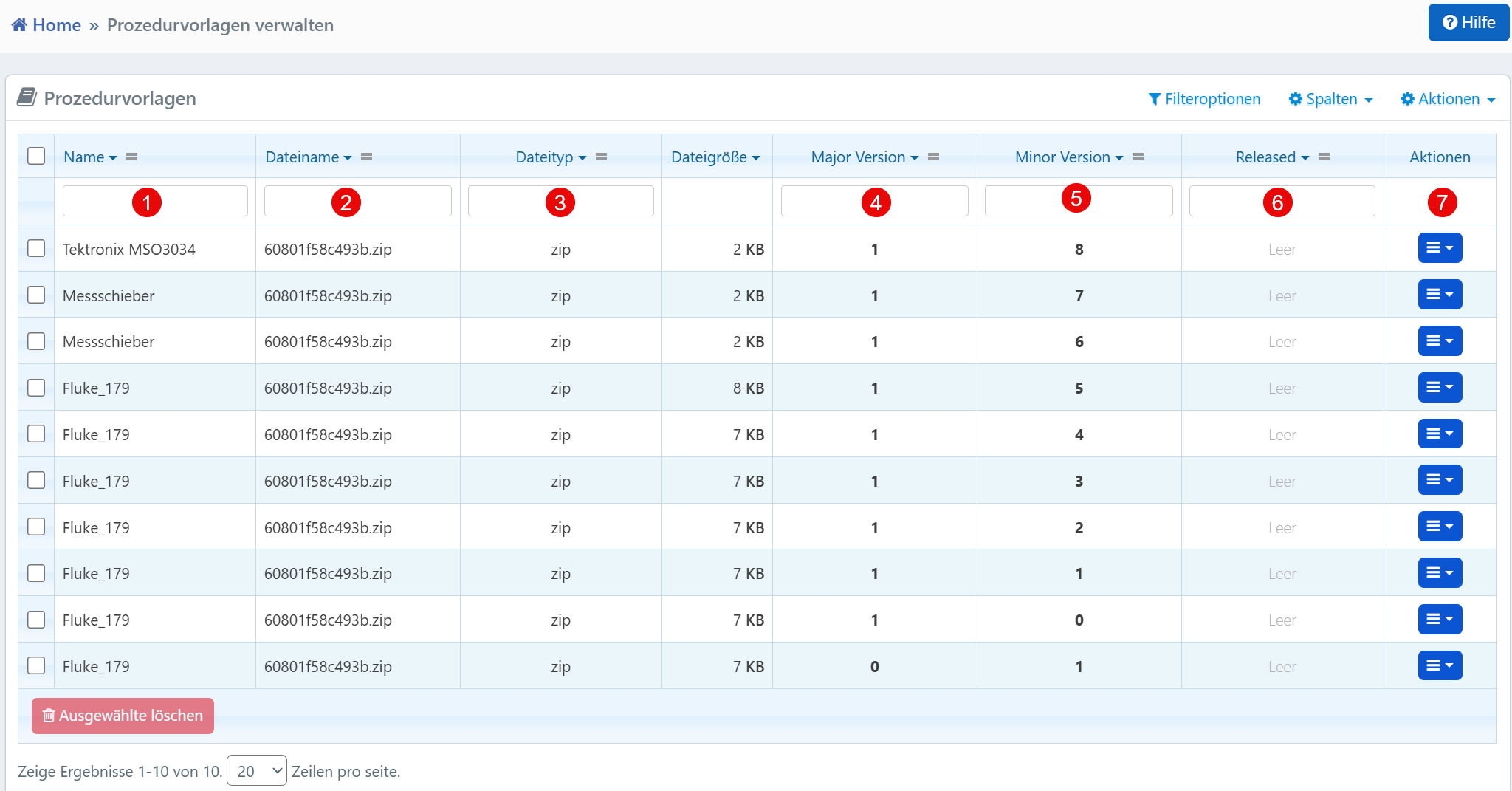
Columns
| No. | Column | Description |
|---|---|---|
| ① | Name | Designation of the procedure to which the template belongs (e.g., device model or functional area). |
| ② | File Name | File name of the procedure template, usually stored as a ZIP archive. |
| ③ | File Type | File format of the template (typically ZIP). |
| ④ | Major Version | Major version number -- indicates larger functional changes. |
| ⑤ | Minor Version | Minor version -- incremented for smaller adjustments or bug fixes. |
| ⑥ | Released | Indicates whether the version is officially released or still in draft stage. |
| ⑦ | Actions | Action menu for editing, releasing, duplicating, or deleting the template. |
Typical Workflows
- Upload New Templates: New ZIP files containing calibration instructions (e.g., MET/CAL) are uploaded via a separate form.
- Version Control: Through the combination of Major and Minor Version, every change to a template can be traced.
- Release Management: Templates are only used in production after explicit release. This prevents accidental use of unreviewed files.
- Association with Procedures: The name indicates which device category or function the template is assigned to.
Technical Notes
- An increase of the Major Version is intended for structural or logical changes; the Minor Version for corrections or documentation adjustments.
- Only templates with status Released should be used in daily operations.
- The action menu allows templates to be released, edited, compared, or rolled back.
- The list provides filtering and sorting options to maintain an overview when many versions exist.