Inventory List
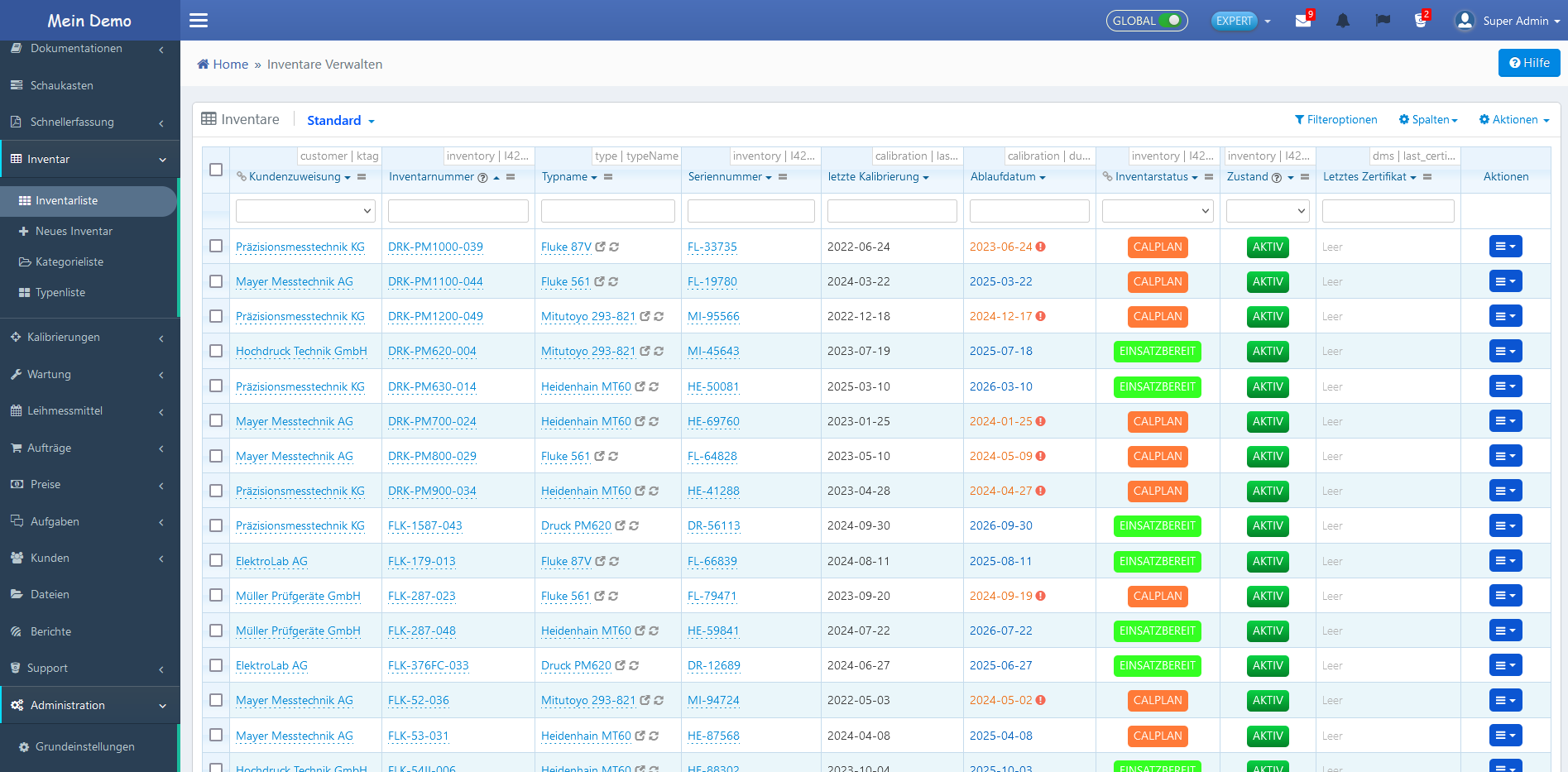
The inventory list displays all inventories recorded in the system in tabular form. It serves as the central entry point for managing individual or multiple inventory items.

Columns
The inventory list contains the following columns by default:
| No. | Column | Meaning |
|---|---|---|
| ① | Customer Assignment | Assignment to a customer |
| ② | Inventory Number | Unique identification |
| ③ | Manufacturer | Device manufacturer |
| ④ | Model | Model designation |
| ⑤ | Serial Number | Unique serial number |
| ⑥ | Last Calibration | Date of the last calibration |
| ⑦ | Expiration Date | Expiration of the current calibration |
| ⑧ | Inventory Status | Current status (e.g., active, out of service) |
| ⑨ | Condition | Functional condition of the device |
| ⑩ | Last Certificate | Linked calibration certificate |
| ⑪ | Actions | Row action menu |
Directly below the column headers are input fields that allow filtering the list by each column.
Grid Actions
The following functions are available via the row action menu in the "Actions" column:
| No. | Action | Description |
|---|---|---|
| ① | View | Displays the detail view of the inventory. |
| ② | QR Code View | Displays the QR code of the inventory. |
| ③ | Edit | Opens the inventory for editing. |
| ④ | Duplicate | Creates a copy as a new entry. |
| ⑤ | Reassign Subordinate | Assigns the inventory to a parent inventory. |
| ⑥ | Show Parent | Displays parent inventories. |
| ⑦ | Show Relations | Displays dependencies to other records. |
| ⑧ | Inventory Report | Generates a report for the inventory. |
| ⑨ | QR Code Report | Generates a report with QR code. |
| ⑩ | Inventory Excel Test | Exports inventory data in Excel format. |
| ⑪ | Delete | Deletes the inventory after confirmation. |
Add Inventory
New inventories can be created via various methods. Details can be found under Create Inventory.