Task Overview
The task overview displays customer-related tasks and appointments in a calendar view. It is used for scheduling and planning and is typically employed in customer service, project management, or field service.
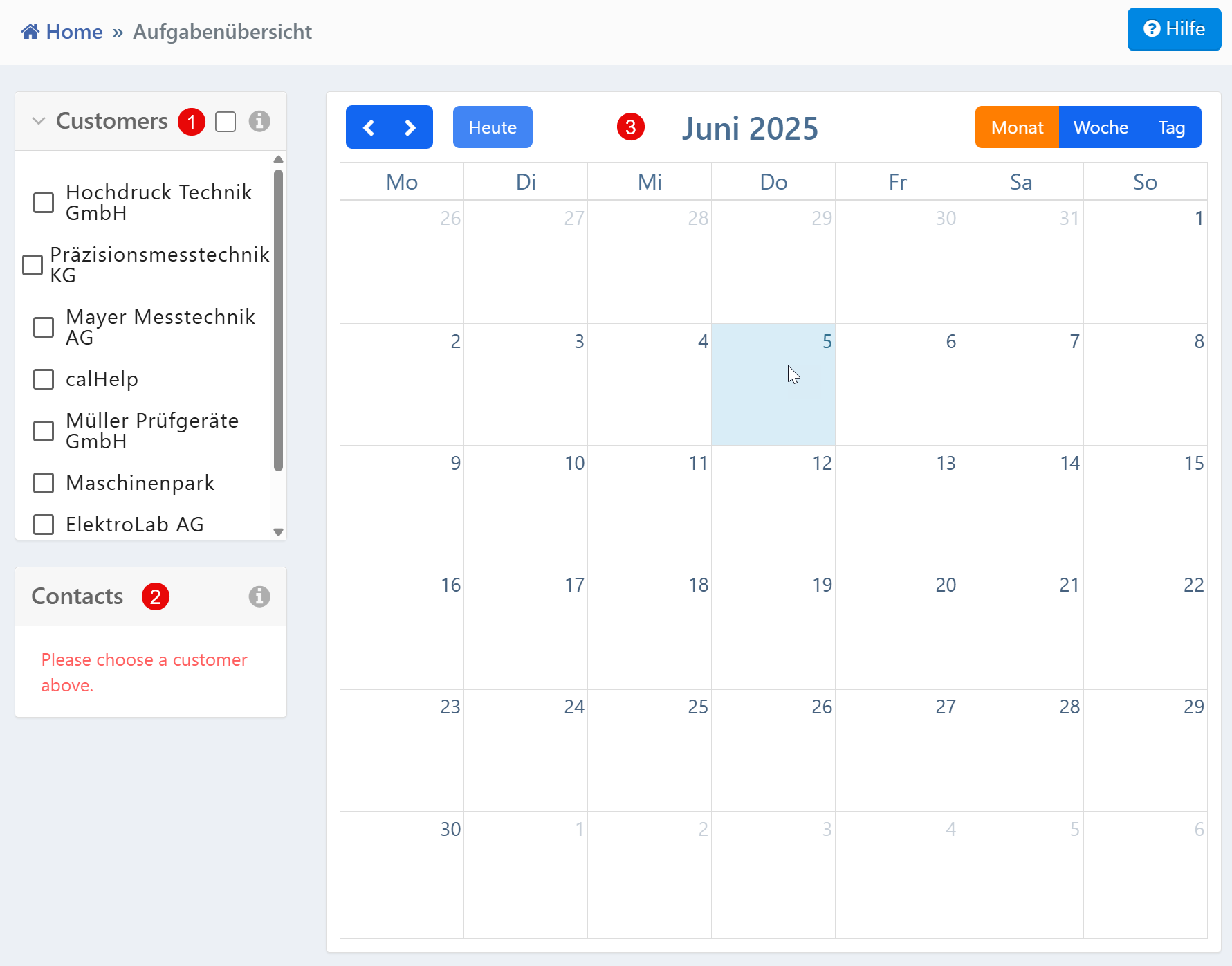
Sections
| No. | Section | Description |
|---|---|---|
| ① | Customer List | Selection area for filtering the calendar view by specific customers. Multiple selection via checkbox is possible. |
| ② | Contact Area | Displays contact information for the selected customer. Without a customer selection, a red notice appears. |
| ③ | Calendar Overview | Monthly, weekly, or daily view of tasks and appointments. Navigation via arrow keys and "Today" button. |
Calendar View
The calendar displays tasks visually organized by time structure. Switching between monthly, weekly, or daily views is possible via the controls in the upper right. Navigation is done via arrow keys and the "Today" button.
Depending on the system configuration, appointments can be moved directly in the calendar (drag & drop) or newly created (by clicking on a day field).
Customer List
The customer list on the left side enables filtering of the displayed tasks:
- Checkboxes allow multiple selection -- several customers can be activated simultaneously
- The selection directly affects the calendar contents
- When there are many entries, the list can be scrolled
Contact Area
The contact area is updated as soon as a customer is selected. Detailed contact data or linked contact persons then appear. Without a customer selection, the area shows a red notice.
Note for Administrators
The visibility of tasks or contacts may be restricted based on roles and customers. With a large number of customers, the initial display may be implemented via lazy loading or pagination.