Reservations
The reservation view is used for the time-based planning and management of loan measuring instruments via an integrated calendar display. Inventory objects such as measuring devices can be reserved on a time basis and their availability checked here.
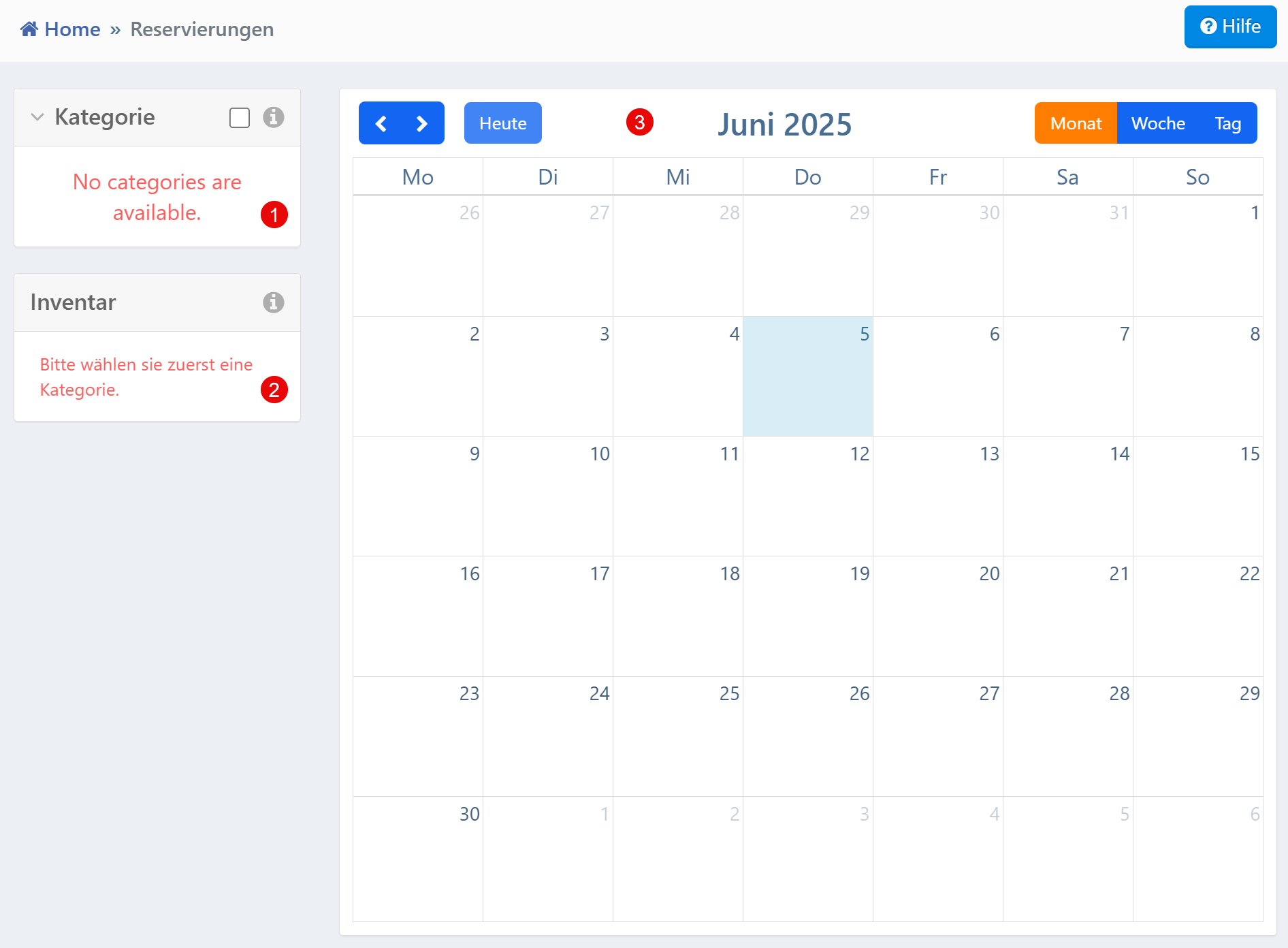
Areas
| No. | Area | Description |
|---|---|---|
| ① | Calendar View | Monthly, weekly or daily view of reservations. Navigation via arrow keys and "Today" button. |
| ② | Category Selection | Selection of the object group (e.g., "Measuring Devices"). Only then activates the inventory selection. |
| ③ | Inventory Selection | Loaded after category selection. Narrowing to a specific loan device for the calendar view. |
Calendar View
The calendar displays reservations in a monthly, weekly or daily view. Navigation is done via arrow keys (forward/backward) and the "Today" button to jump to the current date.
Switching between month, week and day views is done via the buttons in the upper right. Depending on the system configuration, clicking on a day allows viewing or directly creating reservations.
Categories and Inventory
The reservation function requires that categories are configured in the system and assigned to the user:
- Category Selection -- Specific object groups (e.g., "Measuring Devices") are preselected via the category list
- Inventory Selection -- Only after selecting a valid category is the inventory loaded and the calendar view updated accordingly
As long as no category can be selected, the inventory area remains inactive. The system displays corresponding notification messages in this case.
Prerequisites
For productive use of the reservation function, the following conditions must be met:
- At least one category must be present in the system and assigned to the user (or their role)
- Categories must be linked to inventory
- The visibility of categories and inventories can be restricted via role, location or team membership
Initial configuration required
Without configured categories, no reservations are possible. If categories are dynamically supplied by external systems (e.g., ERP), their currency should be checked regularly.