Permission Groups
Under Administration > User Management > Permission Groups, you manage the functional modules of the system. Each permission group represents a functional area (e.g., user management, file management, calibration) and defines which functions are available under which subscription conditions.
Permission Group Overview
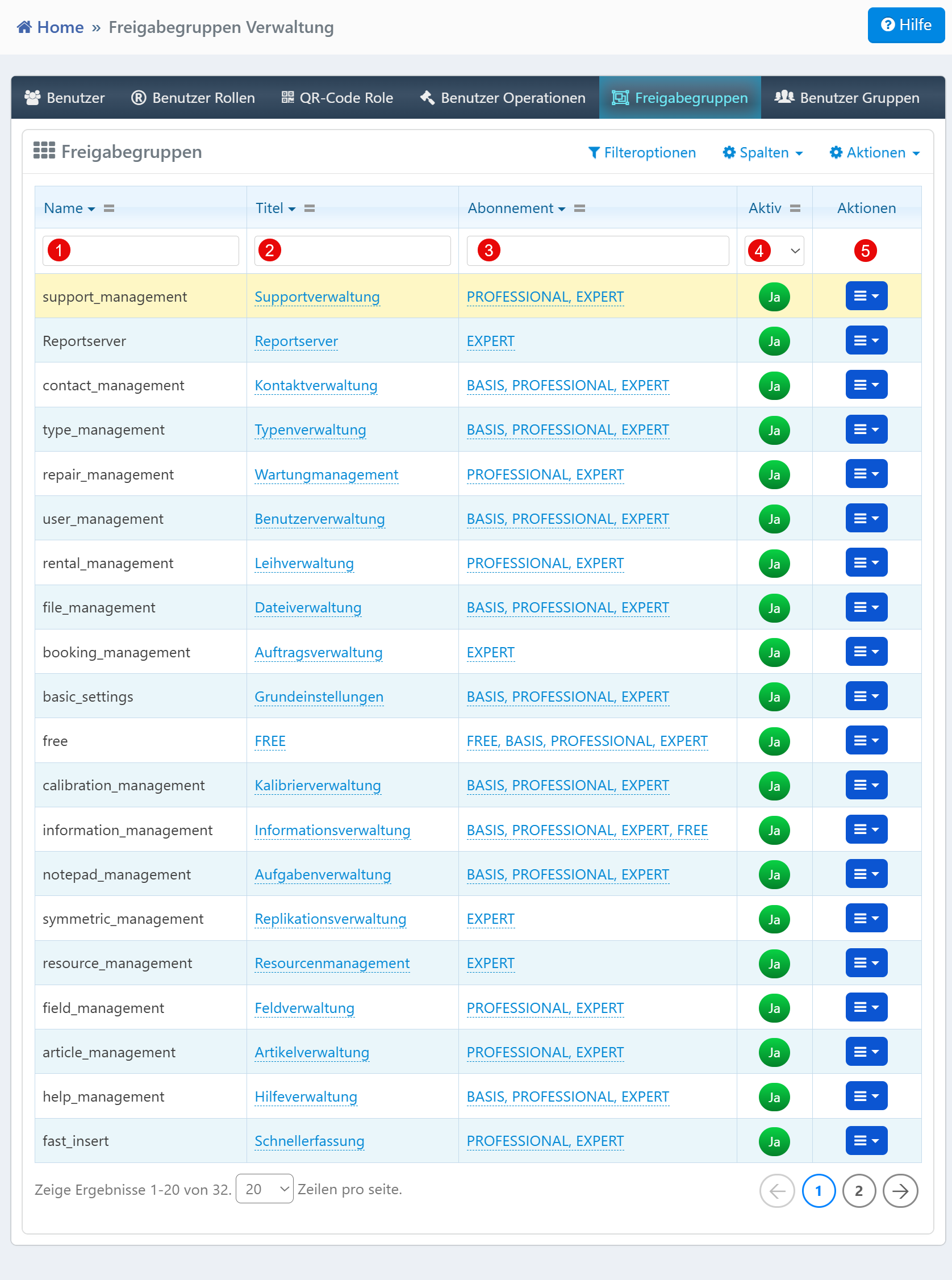
| Field | Description |
|---|---|
| Name | Technical group identifier (e.g., user_management). |
| Title | Visible designation for end users. |
| Subscription | Linked license tiers (e.g., BASIC, PROFESSIONAL, EXPERT). |
| Active | Indicates whether the group is currently active. |
| Actions | Edit or delete the permission group. |
Typical Tasks
- Review Function Permissions: Check which groups are active for which license tiers.
- License Management: Track which functions are enabled in which license packages.
- Deactivate Groups: Groups can be temporarily deactivated via the action menu, e.g., for maintenance work.
Notes
- Only active groups are functionally considered.
- Changes to subscription assignments directly affect the availability of functions for end users.
- A permission group can be assigned to multiple license tiers.
- Deletion is only possible if the group is no longer referenced.